 SFDIFY
- Count how often the process runs in a typical month.
- Name the single event that starts the process — a document, a date, a form submission.
- Write down what it costs in dollars or hours when the process is done late or wrong.
Most automation requests we get are solving the wrong problem. A team wants to automate a process that happens six times a month, when the real cost is a different process happening six hundred times a month with nobody watching it. Before we quote anything, we run the request through one test: does this process have volume, a clear trigger, and a measurable cost when it's done wrong or late?
The automations that pay for themselves are the ones tied to a high-frequency trigger with a real cost of delay or error — document intake, renewal tracking, lead response, and compliance monitoring, not one-off tasks someone does twice a year. If a process happens less than weekly or nobody can name what it costs when it's skipped, it's usually not worth building. The seven below are patterns we've either built into our own products or shipped for clients, each chosen because the return was countable in hours or dollars, not just "efficiency."
- The strongest automation candidates share three traits: high frequency, a clear trigger event, and a documented cost of failure — not just tedium.
- Document extraction (rate confirmations, receipts, tax forms) tends to pay back fastest because the labor it replaces is pure re-typing.
- Compliance and deadline tracking automations pay for themselves the first time they catch something a spreadsheet would have missed.
- Not every repetitive task should be automated — we cover the disqualifiers in the test below, including processes that change too often to be worth encoding.
1. Reading unstructured documents into structured data
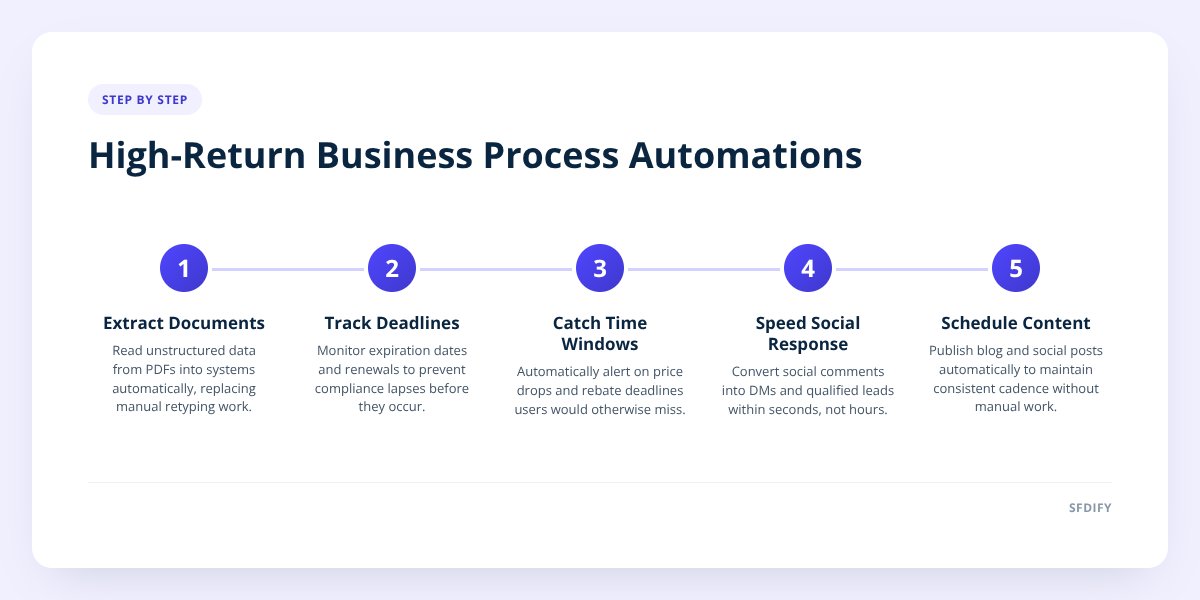
This is the single highest-return automation we build, because the labor it replaces is someone manually retyping information from a PDF or photo into a system of record. In Yolda, our AI-native TMS for trucking companies, the system reads rate confirmations directly into loads — no dispatcher has to open the PDF and copy pickup numbers, rates, and dates by hand. The trigger is unambiguous (a new document lands), the volume is high (every load has one), and the error cost is real: a mistyped rate or date creates a billing dispute weeks later.
The same pattern applies to invoices, purchase orders, insurance certificates, or intake forms in almost any industry. If a document type arrives more than a few times a week and someone's job is partly "copy that into the system," it's usually worth automating the extraction step even if you don't automate anything downstream.
2. Tracking renewal and expiration dates nobody remembers on their own
Deadline tracking earns its keep the first time it prevents a lapse, because the cost of missing one is disproportionate to the cost of watching for it. Yolda watches CDL, medical card, and insurance expiration dates for carriers, flagging them before they become a compliance problem instead of after a driver is already sidelined. A human doing this in a spreadsheet works fine until volume grows or someone goes on vacation.
This same logic applies to contract renewals, domain and certificate expirations, license renewals, and warranty windows. The build is usually simple — a date field, a trigger a set number of days before it fires, a notification — but the payoff shows up as an avoided incident, not a line on a report, which is exactly why it gets skipped until it's too late.
3. Turning a missed price drop into money back automatically
Some automations exist entirely because a human would never watch closely enough to catch the window. CostRefund, our price-drop alert app, is a clean example: members upload a receipt, and the system watches that purchase during the retailer's price-adjustment window and alerts the member in time to request the difference back. Costco sets and decides eligibility for its own price-adjustment policy — the automation's only job is making sure nobody misses the window because they forgot to check.
The pattern generalizes to anything with a time-boxed opportunity that's easy to forget: rebate deadlines, return windows, subscription free-trial cutoffs. If the value of catching it is real money and the cost of missing it is silence, that's a strong automation candidate.
4. Turning an Instagram comment into a qualified conversation
Response speed on social media is a business process most companies never formalize, which is exactly why it's a good automation target. MuChat runs Instagram DM automation on the official Instagram API — comment-to-DM, story replies, email capture, and sequences — so a comment on a post becomes a private conversation and a captured lead within seconds, not whenever someone remembers to check the inbox. The trigger (a comment or story reply) is high-volume and the cost of a slow response is a lead who moved on.
This is worth building when a business already gets meaningful comment or DM volume and is currently answering it manually, inconsistently, or not at all. It is not worth building for an account that gets a handful of comments a month — the volume test fails before you even get to the cost-of-delay question.
5. Publishing content on a schedule instead of when someone remembers to
Content cadence is a process most businesses know they should run consistently and don't, because it competes with everything else on someone's plate every single day. Segeo automates that by publishing a blog post to a business's website daily along with Instagram content, removing the "did we post this week" decision entirely. The return here isn't dramatic per post — it's cumulative, showing up months later as consistent search and social presence versus a blog that trails off after the third post.
We'd flag this as a good automation candidate anywhere the task is genuinely repetitive (same format, different topic, week after week) and the failure mode is quiet neglect rather than a dramatic error. If your content process changes shape every time — different format, different reviewer, different channel — automate the parts that don't change and leave the rest manual.
6. Walking someone through a multi-step process without losing them halfway through
Checklists sound too simple to be worth automating, but the automation isn't the list — it's the reminders, the shared visibility, and the tracking that keeps someone from abandoning it. MyCheck builds this in with reminders, shared lists, and Roadmaps, plus specific tracking for USCIS immigration cases where a missed step has real consequences. The reason this pays off is that the underlying process (a multi-week or multi-month sequence with dependencies) is exactly where humans lose track without something external nudging them forward.
Any process with more than five sequential steps, spread across more than a few days, with more than one person involved, is a candidate. Below that threshold, a shared document usually does the job just as well and building anything more is wasted effort.
7. Filing and portal work that repeats every year on a fixed calendar
Annual, calendar-driven processes are some of the easiest automations to justify because the trigger date is known in advance and the volume is predictable. USTAXX, an IRS-authorized e-file provider, runs tax preparation and business formation work through a secure client portal so documents, status, and communication don't depend on someone's memory of last year's process. The automation value isn't in the tax rules themselves — it's in making sure the intake, document collection, and status updates happen the same way every time instead of being reinvented each filing season.
This pattern fits any business with an annual or quarterly cycle: license renewals, board reporting, audit prep, benefits enrollment. If you can put the trigger date on a calendar today, you can build the automation around it today too.
The test we run before agreeing to build anything
Before we scope an automation, we ask three questions, and a process needs a clear answer to at least two of them to be worth building.
| Question | Strong signal | Weak signal |
|---|---|---|
| How often does this happen? | Daily or weekly | A few times a year |
| What triggers it? | A specific event (document arrives, date hits, comment posted) | "Whenever someone thinks of it" |
| What does getting it wrong or late cost? | A named dollar amount, a compliance issue, or a lost lead | Mild annoyance |
if you can't name the trigger and the cost of delay in one sentence, the process isn't ready to automate yet — it's ready to be documented first.
We also disqualify processes that change shape every time they run. A workflow that's genuinely different each month — different approvers, different format, different exceptions — will cost more to keep re-coding than it ever saves. We walked through how to spot processes worth automating in more depth in How to Tell Which Business Processes AI Can Automate, and how to size the payoff before committing budget in Build a Business Case for Custom Software.
Checklist: deciding if a process is worth automating
- Count how often the process runs in a typical month.
- Name the single event that starts the process — a document, a date, a form submission.
- Write down what it costs in dollars or hours when the process is done late or wrong.
- Check whether the process follows the same steps every time or changes shape often.
- Identify who currently does this manually and how much of their time it takes.
- Confirm the data the automation needs already exists somewhere accessible.
- Decide what "working" looks like before you build, not after.
- Flag any step that requires human judgment and plan to keep a person in that loop.
How this shapes the way we build for clients
We turn down automation requests that fail the frequency-trigger-cost test, even when a client is ready to pay for them, because a low-volume process automated poorly costs more in maintenance than it ever saves. What we build instead starts with the same document-extraction, deadline-tracking, and calendar-driven patterns above, scoped to the client's actual volume rather than a hypothetical one. That's also why our own products follow the same rule — Yolda's document reading and expiration tracking exist because those triggers happen on every single load, not because they sounded useful in a planning meeting.
If you're trying to figure out which of your own processes clear that bar, start a project with SFDIFY — the first consultation is free, and we'll tell you honestly if a process isn't ready to automate yet.
Checklist: deciding if a process is worth automating
- Count how often the process runs in a typical month.
- Name the single event that starts the process — a document, a date, a form submission.
- Write down what it costs in dollars or hours when the process is done late or wrong.
- Check whether the process follows the same steps every time or changes shape often.
- Identify who currently does this manually and how much of their time it takes.
- Confirm the data the automation needs already exists somewhere accessible.
- Decide what "working" looks like before you build, not after.
- Flag any step that requires human judgment and plan to keep a person in that loop.