SFDIFY

Datarails pricing is quote-based. The pricing page lists three plans, Professional, Premium and Expert, but every one says "Request Quote" and the company asks you to "Get a custom quote tailored to your needs" [1]. What changes between plans is users, integrations and modules: Professional includes "2 Users" and "1 Integration," while Expert includes "15 Users + 50 Viewers" and "3 Integrations" [1]. Of the FP&A tools compared here, only Jirav publishes a dollar figure, starting at "$10,000/year" for its Starter plan [2].

More comparisons on our YouTube channel: @sfdify_ai
How we chose
We compared Datarails with the FP&A tools a buyer usually shortlists alongside it: Cube, Vena, Planful, Jirav and Drivetrain. Everything here comes from each vendor's own homepage and pricing page, checked on 2026-11-11. We did not test the products hands-on or use third-party price estimates. Where a vendor does not publish a price, we say so.
Datarails pricing at a glance, next to the alternatives
| Product | Best for | Starting price | Notable |
|---|---|---|---|
| Datarails | Excel-based finance teams that want planning plus close, cash and spend modules | Custom quote on all three plans [1] | Plans differ by users and integrations: 2/5/15 users, 1/2/3 integrations [1] |
| Cube | Teams that want unlimited users and pay by entity count | Custom quote; "Start free" option [3] | "Unlimited users, unlimited dimensions, and unlimited dashboards" on every plan [3] |
| Vena | Microsoft-centric finance teams | Not published; two plans, Professional and Complete [4] | Licensing by Power User, Contributor and View Only roles [4] |
| Planful | Teams that want planning, close and consolidation on one platform | Not published; demo request [5] | "Thousands of connectors to choose from – no data limits" [5] |
| Jirav | Small businesses that want a published price | "$10,000/year" (Starter) [2] | Pro at "$15,000/year"; Enterprise is quoted [2] |
| Drivetrain | Teams that have outgrown spreadsheets and want AI-driven modeling | Not published; demo request [6] | Native integrations "finance can set up on its own" [6] |
Datarails — Datarails pricing, plan by plan
Datarails is a finance platform for teams that want to keep working in spreadsheets. Its homepage says it links "live data from 600+ sources" and lets you "Keep the Excel models you trust" [7].
Verified features: All plans sit on the same core platform. The pricing page says "everything else is included no matter which one you choose," and lists items such as reporting, planning, dashboards, a data mapper, workflows, version control and permissions in its feature comparison [1]. The Professional plan includes "Datarails AI Agents" and the "FinanceOS AI Connector" [1]. Beyond the core plans, Datarails sells "Purpose-built modules you can layer onto any plan": Datarails Cash, Datarails Month-End Close, Datarails Spend and Datarails Desk [1].
Pricing: Datarails does not publish dollar prices. Each of the three plans carries a "Request Quote" button, and the page promises "no consultant fees—ever" [1]. The plan structure looks like this:
- Professional: "Unlimited Dashboards, Reporting & Planning," "2 Users," "1 Integration," AI agents and "Standard Support" [1].
- Premium (labeled most popular): everything in Professional plus "Spend (Cards, Bill Pay, Contracts)," "5 Users," "2 Integrations" and premium support [1].
- Expert: everything in Premium plus "Cash Management," "Month-End Close," Receivables, Desk, "15 Users + 50 Viewers" and "3 Integrations" [1].
So the quote mostly comes down to three things you can count in advance: editors, connected source systems, and extra modules.
Strengths: The tiers are laid out clearly, so you can work out which plan you need before talking to sales. Excel teams do not have to leave Excel, and modules let you add close or cash later [7] [1].
Limitations: There is no public price, so you cannot compare Datarails on cost without a sales conversation. The included seat and integration counts are low on the entry plan: two users and one integration on Professional [1]. By contrast, Cube says every one of its plans includes unlimited users [3]. If you have several data sources or a larger group of budget owners, expect to land on Premium or Expert, or to negotiate extras.
Best fit: A small finance team that works in Excel, has one or two core systems to connect, and wants room to add spend, cash or close modules over time.
Cube — quote-based, but priced by entity count
Cube is the closest like-for-like alternative for spreadsheet-first teams. Its homepage shows actuals synced into an Excel model, with "Edits flow back to Cube right from the spreadsheet" [8].
Verified features: Every plan includes Cube Web plus Excel and Google Sheets, and Cube says "AI agents for data, analysis, planning, and reporting are included in every plan" [3]. Silver and Gold add Slack, Teams, PowerPoint and Google Slides, plus workflows and SSO [3].
Pricing: Like Datarails, Cube does not list prices: "Cube is priced by plan, quoted for your company" [3]. The tiers are defined by legal entities: Bronze covers "1 legal entity," Silver "Up to 10 legal entities" and Gold "Up to 50 legal entities" [3]. Multicurrency consolidation is an add-on on Bronze and Silver and included in Gold [3]. Premium Support+, Additional Modules and API Access are add-ons available with any plan [3].
Strengths: No user cap. Cube states that "Every plan includes unlimited users, unlimited dimensions, and unlimited dashboards" [3]. It also offers a "Start free" path alongside the demo [3].
Limitations: You still need a quote to see a number. Multi-entity and multicurrency groups move up the tiers quickly, and multicurrency costs extra below Gold [3].
Best fit: A single-entity or small multi-entity company that wants many budget owners in the tool without paying per seat.
Vena — two plans, licensed by user role
Vena is built around Excel and Microsoft 365. Its homepage says you can model "what-if" scenarios "all within Excel" and connect your ERP, CRM and HRIS to "Vena CubeFLEX—our OLAP database built specifically for Excel" [9].
Verified features: The Professional plan includes the Vena platform, a Customer Success Manager, standard support, the customer portal and Vena AI [4]. Complete adds Vena Insights, premium support, a sandbox environment and Expert Managed Services [4].
Pricing: Vena's pricing page names two plans, Professional and Complete, but shows no dollar amounts [4]. Licensing is split into three user types: Power User, Contributor and View Only [4]. Import APIs are included, while "Export APIs are available for an additional fee" [4]. Vena also notes that not-for-profit organizations and Microsoft Dynamics 365 Business Central users "may be eligible for discounted pricing" [4].
Strengths: Role-based licensing separates report readers from model builders, and Complete bundles hands-on help through Expert Managed Services [4].
Limitations: No public prices, and some capabilities, such as export APIs, cost extra [4].
Best fit: Finance teams already standardized on Microsoft tools that want a mix of power users and many light contributors. In a Vena vs Datarails comparison, both are Excel-centric and quote-based; the difference is how each counts seats.
Planful — one platform for planning, close and consolidation
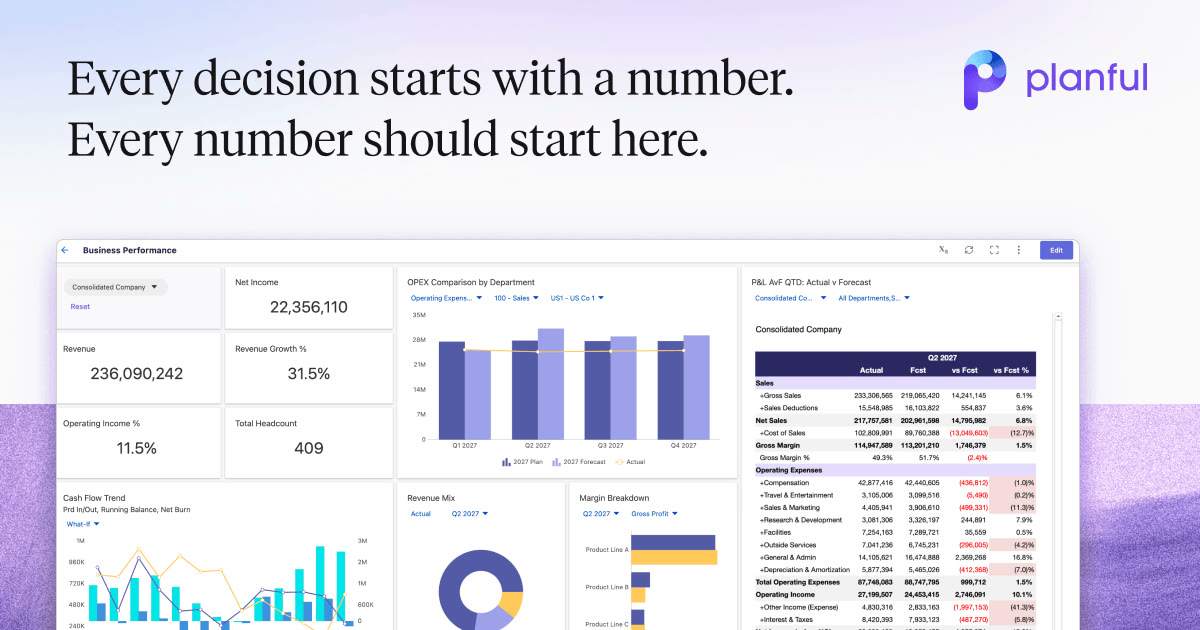
Planful says it "connects planning, close, consolidation, and reporting in one financial performance management platform" [5].
Verified features: The homepage highlights "Thousands of connectors to choose from – no data limits," Planful AI, and an MCP server to "Bring your own AI to your Planful data" [5].
Pricing: We did not find a public price list on Planful's site. The homepage routes buyers to "Book a Demo" [5].
Strengths: Close and consolidation sit alongside planning rather than as separate modules [5].
Limitations: With no published pricing or plan structure, there is no way to estimate cost before a sales call.
Best fit: Larger or multi-entity finance teams that want planning and close in a single system.
Jirav — the one with published prices
Jirav describes itself as driver-based software that "forecasts the P&L, balance sheet, and cash flow" [10].
Verified features: Every plan includes "Expert Guided, Fast Tracked Implementation," integrations with accounting, workforce, Google Sheets and Excel, budget vs. actual analysis and "Unlimited Read-Only Sharing" [2].
Pricing: Jirav's business pricing page lists Starter at "$10,000/year," Pro at "$15,000/year," and Enterprise as "Contact us" [2]. Admin/editor seats are 2, 5 and 15 users across those tiers, and model duration runs from "Up to 24 months of data" on Starter to "Up to 84 months of data" on Enterprise [2].
Strengths: You can budget for it before the first call. Implementation is part of every plan rather than a separate line item [2].
Limitations: Starter plans at the company level only, and the seat counts are similar to Datarails' lower tiers [2]. Accounting firms see a separate wholesale price list, so make sure you are reading the business pricing page.
Best fit: A small or mid-sized business that wants a known annual cost and a guided setup.
Drivetrain — AI-driven modeling, quote only
Drivetrain calls itself "The AI-native FP&A platform that does the work" and is aimed at "teams who've outgrown spreadsheets & legacy tools" [6].
Verified features: Drivetrain offers pre-built integrations for ERP, CRM and HRIS that "finance can set up on its own," Excel-style formulas, and access to "live, permission-controlled financial data inside Claude, ChatGPT, and other AI tools" [6].
Pricing: We did not find published prices. The homepage asks buyers to "Book a Demo" [6].
Strengths: AI that builds and explains models, with changes that are "reviewable, versioned, and traceable to its source" [6].
Limitations: No public pricing, and it moves you away from spreadsheet-native work.
Best fit: Finance teams ready to leave spreadsheet models behind for a dedicated planning platform.
How to choose between Datarails and its competitors
Most of these vendors quote rather than publish, so bring the same requirements list to every sales call:
- Count editors and viewers. Datarails includes 2, 5 or 15 users by plan [1]. Cube includes unlimited users [3]. Vena licenses by role [4].
- Count data sources and entities. Datarails tiers cap integrations at 1, 2 or 3 [1], while Cube's tiers are set by legal entities [3]. Cube's own FAQ says FP&A software pricing "usually depends on the number of legal entities, users, data sources, and the level of AI and support included" [3].
- List the modules you need now and in a year. Spend, cash and close are tier features or add-ons at Datarails [1]. Ask each vendor what is bundled and what is extra.
- Ask about implementation and support. Datarails promises no consultant fees [1]. Jirav includes guided implementation [2]. Vena reserves premium support for its Complete plan [4].
- Get a written, multi-year quote and compare total contract cost.
If your finance stack needs custom glue between an FP&A tool, your CRM and your ledger, that is the kind of work our fintech app development team handles. Teams wiring an AI assistant into finance data can also look at our AI integration services. If you are earlier in the journey and still choosing bookkeeping software, start with our guide to home business accounting software.
Related: planning tools pull actuals from your accounting system; if you are still choosing that ledger, our Xero pricing guide breaks down one common option.
FAQ
How much does Datarails cost?
Datarails does not publish a price. All three plans, Professional, Premium and Expert, show "Request Quote," and the company offers "a custom quote tailored to your needs" [1]. Your quote depends on the plan, which sets users (2, 5 or 15) and integrations (1, 2 or 3), plus any modules you add [1].
Who are the main Datarails competitors on price?
Cube, Vena, Planful and Drivetrain are also quote-based [3] [4] [5] [6]. Jirav is the exception in this group, listing Starter at $10,000 per year and Pro at $15,000 per year [2].
How does Vena vs Datarails pricing compare?
Neither publishes prices. Datarails sets plans by user and integration counts [1], while Vena offers Professional and Complete plans with Power User, Contributor and View Only licenses [4].
How much does FP&A software cost in general?
It varies by vendor and by size. Cube says FP&A software pricing usually depends on legal entities, users, data sources, and the level of AI and support included [3]. Published list prices are rare; in this comparison only Jirav lists one [2].
Our recommendation
If you want to stay in Excel and expect to add spend, cash or close tools later, request a Datarails quote and size the plan by users and integrations before the call. If you have many budget owners, get a Cube quote too, since its plans include unlimited users. If you need a number for this year's budget today, Jirav is the only tool here with published prices.
Related: for the spend side of the finance stack, see our expense management software picks.
Sources
- Pricing - Datarails — checked 2026-11-11
- Jirav - Pricing — checked 2026-11-11
- Transparent and Upfront Pricing | Cube FP&A Software — checked 2026-11-11
- Pricing Plans & Features | Vena Solutions — checked 2026-11-11
- Drive Financial Performance with Planful — checked 2026-11-11
- Drivetrain | The AI-native FP&A Platform — checked 2026-11-11
- Datarails FinanceOS: Trusted AI for Finance Teams — checked 2026-11-11
- Agentic FP&A Platform | Cube — checked 2026-11-11
- Vena: Microsoft-Native Financial and Operational Planning Platform — checked 2026-11-11
- FP&A and Financial Forecasting Software | Jirav — checked 2026-11-11