 SFDIFY
- Write down the manual process you're considering automating in one sentence.
- Count how often it happens per day or week.
- Estimate the cost of getting it wrong — a typo, a missed message, a stale page.
Most "AI integration" articles describe hypothetical use cases. We'd rather show what we've built and name the manual process it replaced, because that's the only honest way to judge whether AI is worth adding to your own product.
Real AI integrations do one narrow job well: reading a document into structured data, routing a conversation, translating an interface, or drafting content on a schedule. Across our own products — Yolda, USTAXX, MuChat, and Segeo — every integration replaced a specific manual step, not an entire job. The pattern that works is small, bounded AI tasks wired into software people already use, not a chatbot bolted onto the homepage.
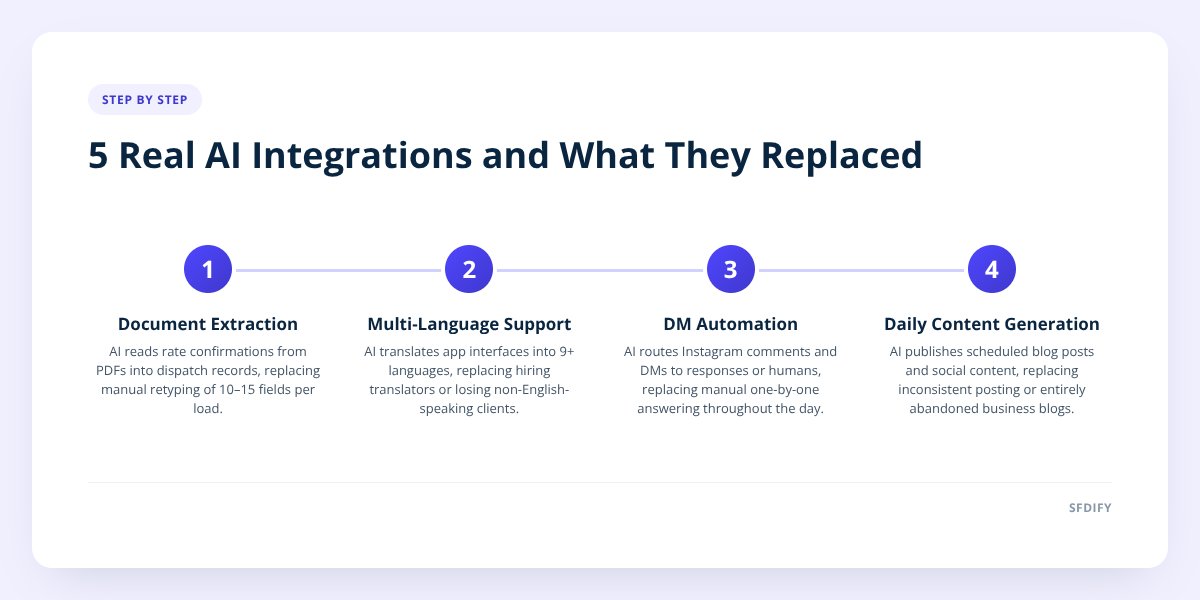
- Document extraction (Yolda reading rate confirmations) replaced manual data entry into dispatch software, not the dispatcher's job.
- Multi-language support (USTAXX's nine-language app) replaced hiring translators or losing non-English-speaking clients, not the tax preparer's judgment.
- Instagram DM automation (MuChat) replaced manually answering comments and DMs one by one during business hours.
- Daily content generation (Segeo) replaced an empty blog or an inconsistent posting schedule, not a full-time content writer.
1. How does AI read a rate confirmation into a dispatch system?
It extracts the key fields — pickup and delivery addresses, rate, weight, commodity, reference numbers — from a PDF or scanned document and drops them straight into a load record. In Yolda, our AI-native TMS for trucking companies, this replaced a dispatcher manually retyping every rate confirmation that came in by email or fax. That's ten to fifteen fields per load, multiplied by every load a carrier runs in a day.
The integration doesn't just save typing time. It cuts the error rate that comes from tired eyes copying a six-digit reference number at 11pm. Yolda is built with Go, Next.js, and Flutter, and the same extraction logic also feeds the parts of the platform that watch CDL, medical card, and insurance expiration dates — so once a document lands in the system, it's doing more than one job.
This is the clearest example of what AI document extraction is actually good at: a document with a consistent structure, high volume, and a real cost to getting it wrong. If your business processes any kind of recurring paperwork — invoices, applications, confirmations — this is the shape of problem to look at first. We cover how to wire this kind of integration into existing systems in AI Agent Integration: Wire Into Your CRM and Inbox.
2. Why build a tax app in nine languages instead of one?
Because the alternative is losing clients who can't read the only language your app ships in. USTAXX, our IRS-authorized e-file provider, runs a client portal and mobile app (get.ustaxx.app) in nine languages. That replaced a common workaround in the tax prep industry: a bilingual staff member translating forms and instructions by hand, or clients simply working with whoever happens to speak their language.
AI-assisted translation doesn't replace the tax preparer's judgment on a filing — that still requires a licensed professional reviewing the actual return. What it replaces is the friction of getting a client from "I have a W-2 and I'm confused" to "I've uploaded my documents and understand what happens next," in whatever language they're most comfortable reading.
This matters beyond tax prep. Any business with a geographically or linguistically diverse customer base runs into the same choice: hire translators for every language you might need, restrict yourself to one language and lose some customers, or build the translation into the product itself. MyCheck, our checklist app, takes the same approach and ships in 13 languages for the same reason — customers finish tasks in the language they think in.
3. What does Instagram DM automation actually replace?
It replaces a person manually checking comments and DMs throughout the day and typing the same few answers over and over. MuChat runs on the official Instagram API and handles comment-to-DM, story replies, email capture, a Flow Builder for multi-step sequences, broadcasts, and a shared inbox for teams.
Before this kind of tool existed, a business running an Instagram giveaway or a "comment LINK for the code" promo had two options: hire someone to sit on the account all day, or let responses lag until engagement dropped off. Neither scales past a handful of posts a week.
What AI adds on top of the automation itself is deciding which incoming messages need a human and which can be handled by a sequence — a new follower asking for a discount code is different from an existing customer reporting a problem with their order. That routing decision is the actual "AI" part; the DM sending is just automation. MuChat has a free plan, with paid plans starting at $14 a month, which makes it a reasonable first integration to test this pattern on a single Instagram account before building anything custom.
4. Can AI actually keep a blog updated without a writer on staff?
Yes, with guardrails, and that's exactly what Segeo does: it publishes a blog post to a business's website every day, plus Instagram content, starting at $89 a month. It replaced the common failure mode of business blogs — a burst of five posts when the site launches, then nothing for eight months, because nobody owns the recurring work of writing and publishing.
This is a narrower AI task than it sounds. The integration isn't "write anything about anything" — it's generating content on a schedule, publishing it to a specific platform, and keeping a consistent cadence that a human team would otherwise have to protect on a calendar. The discipline is in the pipeline, not just the sentence generation.
Consistent publishing also feeds directly into how AI answer engines and search surfaces find a business, since both reward sites that get crawled regularly with fresh, specific content rather than a static five-page site from two years ago.
5. How do you decide which process is worth automating with AI first?
Start with the process that's manual, repetitive, and has a real cost when done wrong — not the one that sounds impressive in a pitch deck. Rate confirmation data entry qualified for Yolda because it was high-volume and error-prone. Comment response qualified for MuChat because it was time-sensitive and repetitive. Neither started as "let's add AI somewhere."
| Integration | Manual process it replaced | What still needs a human |
|---|---|---|
| Yolda rate confirmation extraction | Retyping load data from PDFs/faxes | Reviewing flagged discrepancies |
| USTAXX nine-language app | Hiring translators or restricting language | Final review of the actual tax filing |
| MuChat DM automation | Manually answering every comment/DM | Judgment calls routed to a human |
| Segeo daily content | An empty or stale blog | Approving brand voice and claims |
if you can't name the specific manual step an AI feature replaces, it's not ready to build yet.
A good way to test this before committing engineering time is to pilot the narrowest version of the integration first — one document type, one Instagram account, one language — and measure whether it actually reduces the manual work before expanding it. We laid out that process in How to Pilot AI Before Full Integration: A 5-Step Plan.
How this shapes the way we build for clients
We build the same way for client projects that we build for our own products: pick one manual process, define exactly what "done" looks like for that process, and ship the narrowest version before expanding scope. SFDIFY is an OpenAI Select Partner, and the products above show the range this covers — document extraction, multi-language interfaces, conversational routing, and scheduled generation are different problems with different right answers, not one AI feature applied everywhere.
If you're trying to figure out which manual process in your business is worth automating first, SFDIFY offers a free first consultation. You can also look at our AI development work directly, or start a project and we'll tell you honestly whether AI is the right tool for what you're describing.
Checklist: Identifying your first AI integration
- Write down the manual process you're considering automating in one sentence.
- Count how often it happens per day or week.
- Estimate the cost of getting it wrong — a typo, a missed message, a stale page.
- Check whether the input (documents, messages, text) has a consistent structure.
- Identify the smallest possible version you could test in two weeks.
- Decide who reviews the AI's output before it's trusted unsupervised.
- Pick one metric that tells you whether the pilot worked.
- Confirm the integration replaces a step, not a person's full role.
Checklist: Identifying your first AI integration
- Write down the manual process you're considering automating in one sentence.
- Count how often it happens per day or week.
- Estimate the cost of getting it wrong — a typo, a missed message, a stale page.
- Check whether the input (documents, messages, text) has a consistent structure.
- Identify the smallest possible version you could test in two weeks.
- Decide who reviews the AI's output before it's trusted unsupervised.
- Pick one metric that tells you whether the pilot worked.
- Confirm the integration replaces a step, not a person's full role.