SFDIFY

In our Housecall Pro reviews research, the platform covers the core jobs of a small home-service shop (online booking, scheduling and dispatch, estimates, invoicing and payments) starting at $59 per month billed annually for one user [1]. It is a reasonable fit for HVAC, plumbing, electrical and cleaning businesses that want one app and no long-term contract [1]. The catch is that QuickBooks Online sync starts on Essentials at $149 per month, and route optimization and API access sit on the $299 MAX plan [1]. Jobber is the closest alternative with a lower entry price, while ServiceTitan, Workiz and FieldEdge quote prices on request [2, 3, 4, 5].

More comparisons on our YouTube channel: @sfdify_ai
How we chose
We asked whether Housecall Pro is the right field service software for a small home-service business, and compared it with the four alternatives an HVAC, plumbing, electrical or cleaning buyer is most likely to shortlist: Jobber, ServiceTitan, Workiz and FieldEdge.
This is a sourced review of vendor pages, not a hands-on test. Every product fact comes from each vendor's own homepage or pricing page, checked on 2026-11-13, and carries a citation. We did not use third-party ratings or user review scores. Prices change, so confirm them before you buy.
Housecall Pro reviews at a glance: plans and alternatives
| Product | Best for | Starting price | Notable |
|---|---|---|---|
| Housecall Pro | Owner-operators and small crews in home services | $59/mo billed annually, 1 user [1] | 14-day trial of the MAX plan, no credit card [1] |
| Jobber | Solo pros who want the lowest published entry price | $29/mo billed annually, 1 user [2] | Extra users $29/mo each [2] |
| ServiceTitan | Larger residential and commercial contractors | Request pricing; per-technician [3] | 70+ pre-built integrations [6] |
| Workiz | Phone-heavy shops that want AI call handling | Request pricing [4] | AI phone and answering sold separately [4] |
| FieldEdge | Multi-truck HVAC, plumbing and electrical firms | Request pricing [5] | QuickBooks Online and Desktop [5] |
Housecall Pro — the full review for small home-service businesses
Housecall Pro is an all-in-one field service app that its pricing page says is "designed for home service businesses like HVAC, plumbing, electrical, cleaning, landscaping, and others" [1]. Its homepage says it is "Tailored for teams of 1 to 100+" [7]. The plan you pick decides how much of that you get.
Verified features: Every paid plan includes online booking, scheduling and dispatch, estimates and invoicing, payments and consumer financing, a price book, job costing and review management [1]. Essentials adds routes, flat-rate pricing, checklist automations, employee GPS tracking, commissions and QuickBooks Online sync [1]. MAX adds a sales proposal tool, recurring service plans, route optimization, open API access and a dedicated onboarding specialist [1]. All plans include live phone and chat support and a mobile app for iOS and Android that is available in English and Spanish [1].
Pricing: Basic is $59 per month billed annually or $79 month to month, with 1 user included [1]. Essentials is $149 per month annually or $189 monthly, with 5 users included [1]. MAX is $299 per month annually or $329 monthly, with 8 users included and "$35/mo per additional user" [1]. Card processing starts at 2.59 percent, and "A 1% fee is applied to bank payments" [1]. The 14-day free trial gives full access to the MAX plan with no credit card [1].
Strengths: The Basic plan already covers the full booking-to-payment loop, which is what most owner-operators need first. There is no long-term contract; the FAQ says Housecall Pro "does not require long-term contracts" [1]. The Spanish-language app is useful for bilingual crews [1].
Limitations: The plan ladder is steep for a small team. Basic includes one user, and the page shows a per-user rate ($35 per month) only next to MAX, so ask what a second seat costs before you assume Basic will do; the next tier, Essentials, is $149 per month billed annually, more than double Basic's $59 [1]. QuickBooks Online sync is not on Basic; it starts at Essentials [1]. Route optimization, recurring service plans and API access are MAX-only, and the FAQ says Zapier access is also tied to MAX [1]. The pricing page lists further tools such as CSR AI, Payroll, Accounting, Voice and vehicle GPS under "Get more done with Housecall Pro", and the FAQ calls add-ons optional, so budget for extras beyond the plan price [1]. Finally, the headline prices assume annual billing; month to month costs $20 to $40 more per month depending on the plan [1].
Best fit: A solo operator or a crew of up to about five in HVAC, plumbing, electrical or cleaning who wants one app for booking, dispatch, invoicing and payments, and who does not need deep accounting integration on day one. If your techs need to clock in and out, compare its time tracking with dedicated tools in our time clock app guide.
Jobber — lower entry price and per-user flexibility
Jobber describes itself as "The all-in-one system for high-performing service pros" [8].
Verified features: The Core plan includes online booking and scheduling, quotes, invoices with online payments, a website builder, built-in reporting and an app marketplace with 100+ tools [2]. Connect adds automated client reminders, quote and invoice follow-ups, checklists, time and expense tracking and QuickBooks Online sync [2]. Grow adds two-way SMS with customers [2].
Pricing: Core is $29 per month billed annually or $49 with no commitment, for 1 user [2]. Connect starts at $99 per month billed annually, and higher tiers (Grow and Plus) cost more [2]. You can "Add users for $29/mo each" [2]. Online card payments cost 2.9% + 30¢ and bank payments 1% [2]. The 14-day free trial runs on the Grow plan with no credit card required [2].
Strengths: The lowest published starting price in this group, and per-user pricing lets a two-person shop add one seat instead of jumping a full tier. QuickBooks Online sync arrives on Connect at $99 per month annually, below Housecall Pro's $149 Essentials [2, 1].
Limitations: Jobber's published card rate of 2.9% + 30¢ is higher than Housecall Pro's "as low as 2.59%" starting rate, which matters for shops that run most invoices through cards [2, 1]. Two-way texting starts at Grow, so the cheap Core plan is thin on customer messaging [2].
Best fit: Solo operators and small crews, including cleaning and lawn businesses, who want the lowest starting cost and plan to add users one at a time. In short, Jobber is cheaper to start and to add seats; Housecall Pro has the lower published card rate.
ServiceTitan — built for bigger residential and commercial contractors
ServiceTitan says it is "Trusted by more than 100,000 service professionals" and pitches software for both commercial and residential trades [6].
Verified features: Its package comparison lists dispatching, scheduling, call booking, invoicing, a pricebook, mobile estimates, payroll management, commission tracking and customizable memberships [3]. The homepage says it has "over 70+ pre-built integrations" [6].
Pricing: ServiceTitan sells three packages, Starter, Essentials and The Works, and each one says "Request Pricing" [3]. The pricing page describes it as "per-technician pricing" [3].
Strengths: Payroll, commission tracking and memberships appear in the package comparison itself, which suits HVAC and plumbing companies with maintenance agreements and commissioned techs [3]. The integrations it names lean toward commercial tools such as ServiceChannel and Sage [6].
Limitations: No published prices, so a small shop cannot compare cost without a sales call [3].
Best fit: Established HVAC, plumbing and electrical contractors with dispatchers, a call center or commercial work. In a "housecall pro vs servicetitan" decision, Housecall Pro is the simpler, published-price option; ServiceTitan is the heavier platform you grow into.
Workiz — AI phone handling for call-driven shops

Workiz calls itself an "AI growth engine for home service businesses" and says it is "Trusted by 120K+ home service pros in US and Canada" [9].
Verified features: The Standard plan covers scheduling, invoices, jobs and estimates, online payments, client management, subcontractor management and a QuickBooks integration, with a "Total of 5 Automations" [4]. Ultimate adds service plans, sales proposals, inventory management, flat rate and an open API [4].
Pricing: Standard, Pro and Ultimate are all listed as "Request pricing" [4]. Genius Phone, Genius Answering and Genius Marketing are marked "sold separately" [4].
Strengths: QuickBooks integration is listed on the entry Standard plan, where Housecall Pro holds it back to Essentials [4, 1].
Limitations: No published prices, and the AI phone and answering features that define its pitch are separate purchases [4].
Best fit: Garage door, locksmith, appliance repair and similar call-driven businesses where answering every call is the main growth lever.
FieldEdge — for multi-truck HVAC, plumbing and electrical
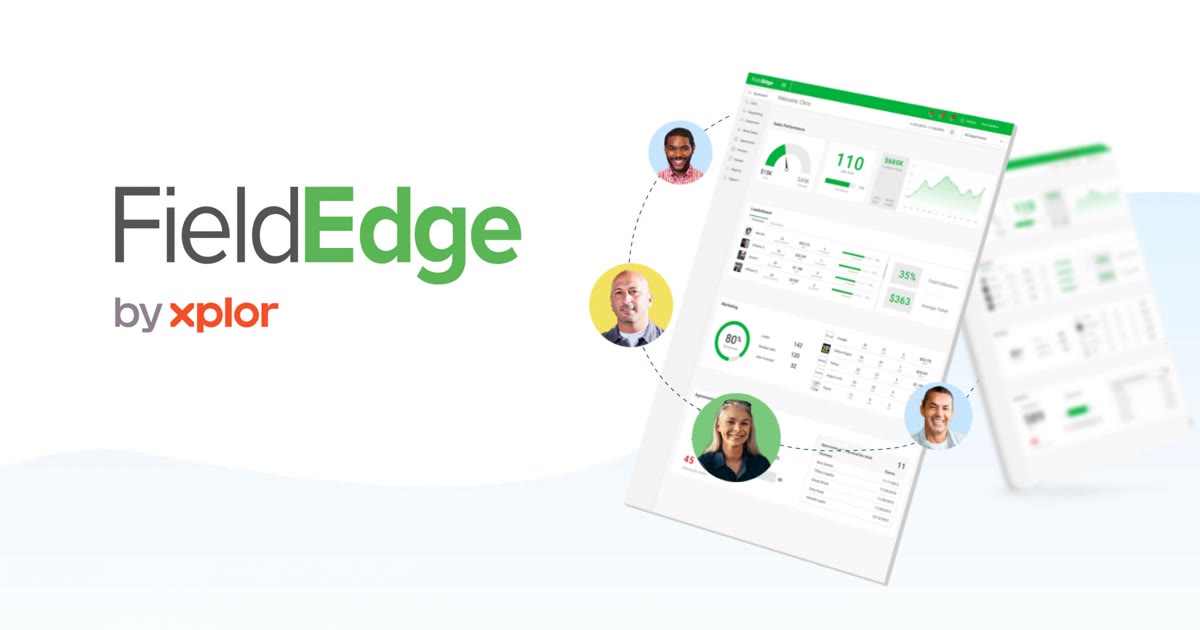
FieldEdge says it is "Trusted by SMB and Mid-Market Service Leaders in HVAC, Plumbing, and Electrical" [10].
Verified features: The entry Select plan covers dispatching, booking and scheduling, basic agreements and quotes, customer management, and a pricebook with flat-rate pricing [5]. The plan feature table lists "QuickBooks Online & Desktop" [5].
Pricing: Select, Premier and Elite are all "Request Pricing" [5]. All plans come with an onboarding specialist [5].
Strengths: QuickBooks Desktop support matters for established shops that never moved to QuickBooks Online [5]. Flat-rate pricing is on the entry plan, where Housecall Pro holds it for Essentials [5, 1].
Limitations: No published prices, and its Premier and Elite plans are described for "multi-truck" operations, so a one-person shop is not the main target [5].
Best fit: HVAC, plumbing and electrical companies with several trucks, service agreements and an accounting team that still uses QuickBooks Desktop.
How to choose field service software for your shop
Start with team size and accounting. If you work alone without QuickBooks, Housecall Pro Basic and Jobber Core both cover booking, quotes, invoices and payments; Jobber is cheaper on paper, and Housecall Pro has the lower published card rate [1, 2]. If you have two to five people and keep books in QuickBooks Online, compare Housecall Pro Essentials with Jobber Connect plus added users, since that is where the real price gap shows up [1, 2].
Next, look at how work comes in. Shops with maintenance agreements need recurring service plans, which Housecall Pro puts on MAX and ServiceTitan lists as memberships [1, 3].
Then think about payroll. Housecall Pro lists Payroll among its extras, so if you run crews across several job sites, compare it with dedicated options in our construction payroll software guide [1]. And if none of these fits your workflow, for example you run a hybrid service-and-install business with custom pricing rules, a custom CRM build can sit on top of your existing tools.
FAQ
How much does Housecall Pro cost?
Housecall Pro pricing runs from $59 per month billed annually for Basic with 1 user, to $149 for Essentials with 5 users, to $299 for MAX with 8 users [1].
Is there a Housecall Pro free trial?
Yes. The trial lasts 14 days, gives full access to the MAX plan and does not require a credit card [1].
Housecall Pro vs Jobber: which is cheaper?
On published prices, Jobber starts lower at $29 per month billed annually versus $59 for Housecall Pro Basic [2, 1]. Jobber charges $29 per month per added user [2]. Housecall Pro's card processing starts at 2.59 percent versus Jobber's 2.9% + 30¢ online card rate [1, 2].
Does Housecall Pro integrate with QuickBooks?
Yes, but QuickBooks Online sync is listed as an Essentials feature, not a Basic one [1]. Zapier and open API access are tied to the MAX plan [1].
What are the main Housecall Pro alternatives?
Jobber publishes its prices and starts lower [2]. ServiceTitan, Workiz and FieldEdge all ask you to request pricing [3, 4, 5].
Our recommendation
For a small HVAC, plumbing, electrical or cleaning business that wants one app and no contract, Housecall Pro is a sound choice, but price the plan you will actually need: most teams with more than one user or a QuickBooks habit will land on Essentials at $149 per month, not Basic [1]. If cost per seat is the deciding factor, run the Jobber trial alongside it [2]. If you have several trucks, a dispatcher and service agreements, get quotes from ServiceTitan and FieldEdge before committing [3, 5].
Sources
- Housecall Pro Pricing & Plans — checked 2026-11-13
- Jobber Pricing: Plans Starting at $29/Month — checked 2026-11-13
- ServiceTitan Pricing and Plans Cost Information — checked 2026-11-13
- Workiz Pricing and Plans for Field Service Teams — checked 2026-11-13
- Pricing - FieldEdge — checked 2026-11-13
- ServiceTitan - Home and Commercial Software for the Trades — checked 2026-11-13
- Home Services Business Management Software - Housecall Pro — checked 2026-11-13
- The Top Home & Commercial Service Software | Jobber — checked 2026-11-13
- Workiz - AI software for home service pros — checked 2026-11-13
- Field Services Management Software & Field Service App - FieldEdge — checked 2026-11-13