SFDIFY

For most outbound telemarketing teams, Pipedrive and Zoho CRM offer the best balance of built-in calling, pipeline tracking, and transparent pricing [2, 7]. Teams that need heavier dialing volume should look at dedicated telemarketing software such as CallHippo or KrispCall, both cloud phone systems with dedicated dialers built for outbound calling [4, 5, 6]. Teams with workflows no off-the-shelf tool fits — unusual compliance rules, scripting logic, or integrations — are better served by custom CRM development [10].
How we chose
We reviewed official documentation and pricing pages for each product. Candidates had to show a built-in or integrated outbound dialing capability, lead and campaign management features suited to high call volumes, transparent published pricing or a trial, and evidence of active maintenance. We did not run hands-on tests; every claim below is sourced from vendor pricing and feature pages.
Quick Comparison Table: Top Telemarketing CRM Software
| Product | Best for | Starting price | Key differentiators |
|---|---|---|---|
| Pipedrive | Outbound sales teams wanting calling + pipeline in one tool | Trial: 14 days [2] | Click-to-call, call logging and recording, new Nova feature for capturing call context [2] |
| Zoho CRM | Small-to-midsize teams wanting built-in telephony at low cost | Free tier for up to 3 users; paid tiers per user/month [7] | Built-in calling, multiple pipelines, HIPAA compliance option [7] |
| NoCRM.io | Lead-to-call workflows, simple pipeline for calling teams | Plans priced per user/month; 15-day free trial [1, 8] | Power-dialing, click-to-call/SMS, VoIP integrations, Excel/CSV lead upload [1] |
| CallHippo | High-volume dialing at call-center scale | Per-user/month pricing, 10-day free trial [3, 4] | Parallel Dialer and a predictive dialing mode [4], AI Copilot call analysis, CRM sync [3] |
| KrispCall | Small outbound teams needing a dedicated power dialer | $12/user/month (billed annually) [6] | Power Dialer, unified callbox, 100+ CRM integrations [5, 6] |
| HubSpot Sales Hub | Growing teams wanting calling tools inside a full CRM | Free plan at $0; Professional from $100 and Enterprise from $150 per seat/month [9] | Built on HubSpot's Smart CRM, custom objects in Enterprise, 2,000+ marketplace integrations [9] |
| Custom CRM development (SFDIFY) | Teams with compliance, scripting or integration needs off-the-shelf tools can't meet | Project-based, not published | Built around your process; portals, integrations, and automation designed in [10] |
Pipedrive — Best Overall for Outbound Calling Campaigns
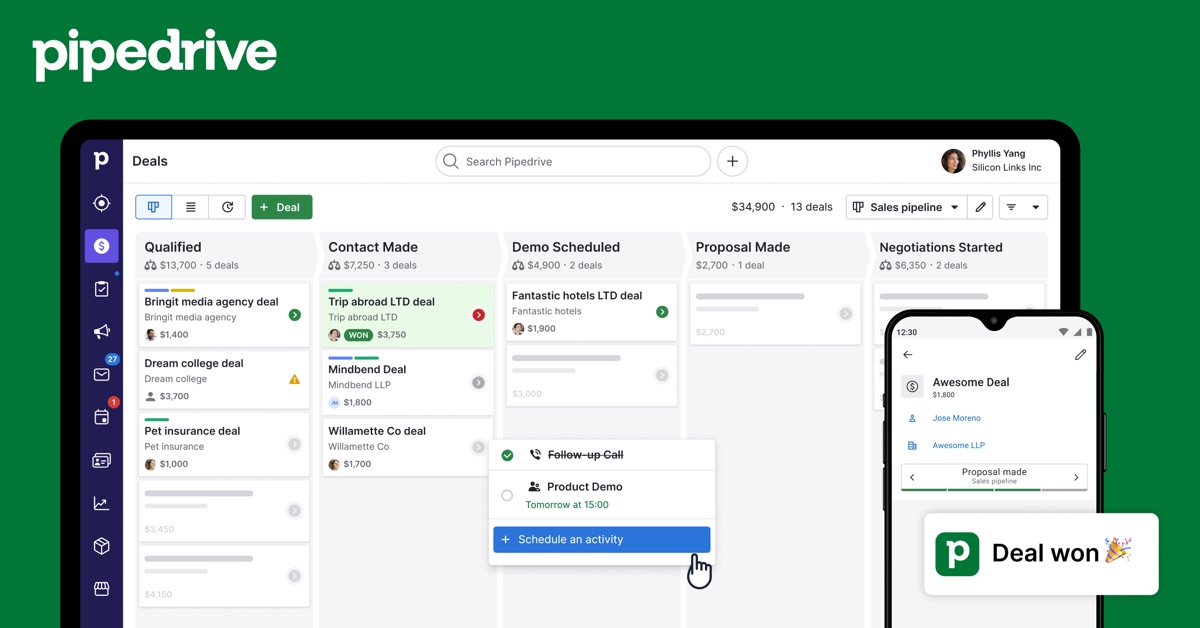
Pipedrive is a sales CRM built around a visual pipeline, with calling features layered directly into deal records [2]. It is a strong default choice because it combines dialing, pipeline visibility, and automation without forcing a team to bolt together separate tools.
Verified features: Pipedrive offers a visual sales pipeline for tracking deal stages, calendar sync for scheduling and follow-up reminders, and an AI Sales Assistant that predicts which deals are likely to close and surfaces daily team performance snapshots [2]. A newer feature, Nova, captures details before, during, and after calls and updates CRM records automatically [2].
Pricing: Pipedrive offers a 14-day free trial for new users [2]. Specific tier pricing was not detailed on the page reviewed — check current pricing.
Strengths: Pipedrive is positioned as suitable for both startups and larger teams, with a marketplace of integrations and granular permission controls for team collaboration [2].
Limitations: The vendor page reviewed does not detail dialer type (predictive vs. power vs. click-to-call) or specific DNC/TCPA compliance tooling, so compliance-heavy teams should verify those details directly with Pipedrive.
Best fit: Outbound sales teams that want calling and pipeline management combined in one familiar CRM interface, without needing enterprise-level predictive dialing.
CallHippo — Best Outbound Call Center Software for High-Volume Dialing
CallHippo is a cloud phone system built for sales and call center teams, with dialer features designed for higher call volumes than a typical CRM-native dialer [3].
Verified features: CallHippo offers a Parallel Dialer and a sales dialer with a predictive dialing mode [4]. Its platform also includes an AI Copilot that analyzes conversations for sentiment and talk-to-listen ratio, and post-call automation that syncs with CRM systems [3]. The platform also supports skill-based call routing and live call monitoring for supervisors [3].
Pricing: CallHippo publishes per-user/month pricing on its pricing page, along with a 10-day free trial that requires no credit card [3, 4]. One plan is offered free for the first six months, after which users must upgrade to continue [4]. Note that CallHippo's Office Phone System plan is designed for small business use; call-center-level bulk calling may trigger a plan change or rate adjustment under the vendor's fair-use terms [4].
Strengths: Dedicated dialer and call-center features (IVR, call queues, agent whisper, live monitoring) make this a stronger fit for higher-volume outbound operations than a general CRM [3].
Limitations: CallHippo is a phone system with CRM integrations, not a CRM itself, so teams still need a separate CRM for deep lead and pipeline management. Outbound calls to the same number are capped at 10 per hour before automatic blocking applies [4].
Best fit: Call centers or outbound teams that need dedicated predictive dialing and call analytics layered on top of an existing CRM.
Zoho CRM — Best Budget-Friendly Option for Small Teams
Zoho CRM is a full CRM with built-in telephony, aimed at small-to-midsize teams that want calling and lead tracking without paying for a separate phone system [7].
Verified features: Zoho CRM includes built-in calling to make, receive, and log sales calls directly inside the CRM, support for multiple sales pipelines, and calendar integration for scheduling [7]. A HIPAA compliance option is available for teams handling regulated data [7]. Zoho CRM also integrates with Google Ads, QuickBooks, and collaboration tools like Slack, Zoom, and Teams [7].
Pricing: Zoho CRM has a free edition supporting up to 3 users with leads, documents, and mobile app access [7]. Paid Standard and higher tiers are billed per user/month, and an Ultimate edition targets large-scale, bespoke deployments [7]. Zoho One, a bundle of 50+ apps, starts at $30/user/month [7].
Strengths: The free tier and low entry cost make Zoho CRM accessible for small telemarketing teams testing outbound workflows before committing budget [7].
Limitations: The pricing page reviewed does not specify a dedicated power or predictive dialer, or explicit DNC/TCPA scrubbing tools — teams with heavy compliance needs should confirm these directly with Zoho.
Best fit: Small-to-midsize teams that want built-in calling and pipeline tracking at a lower price point than dedicated call-center software.
NoCRM.io — Best for Lead-to-Call Workflows
NoCRM.io is built specifically around moving a lead to a call to a closed deal, rather than around general-purpose CRM data entry [1].
Verified features: NoCRM supports click-to-call and power-dialing, letting reps make calls or send SMS directly from a lead record [1]. It allows uploading cold prospect lists from Excel or CSV to qualify directly inside the pipeline, integrates with leading VoIP providers to centralize communications, and offers team performance reports and real-time activity monitoring [1]. An open API and Zapier connection support custom integrations [1].
Pricing: NoCRM is priced per user/seat across its Starter, Expert, and Dream plans, with specific dollar amounts not published on the pages reviewed — check current pricing [8]. Every plan includes a 15-day free trial with no credit card required; adding payment details extends the trial to 30 days [8]. The Dream plan adds advanced permissions, detailed analytics, and deeper integrations including WhatsApp, VoIP, and email [8].
Strengths: The focus on "next action" selling rather than data entry, plus power-dialing and lead import tools, fits high-volume calling teams that want a simpler interface than a traditional CRM [1].
Limitations: All users on a NoCRM account must be on the same plan tier, which can limit flexibility for mixed teams [8]. The pages reviewed do not mention specific DNC list scrubbing or TCPA compliance features.
Best fit: Calling teams that want a lightweight, action-driven pipeline tool rather than a full-featured CRM.
KrispCall — Best Low-Cost Power Dialer for Your CRM
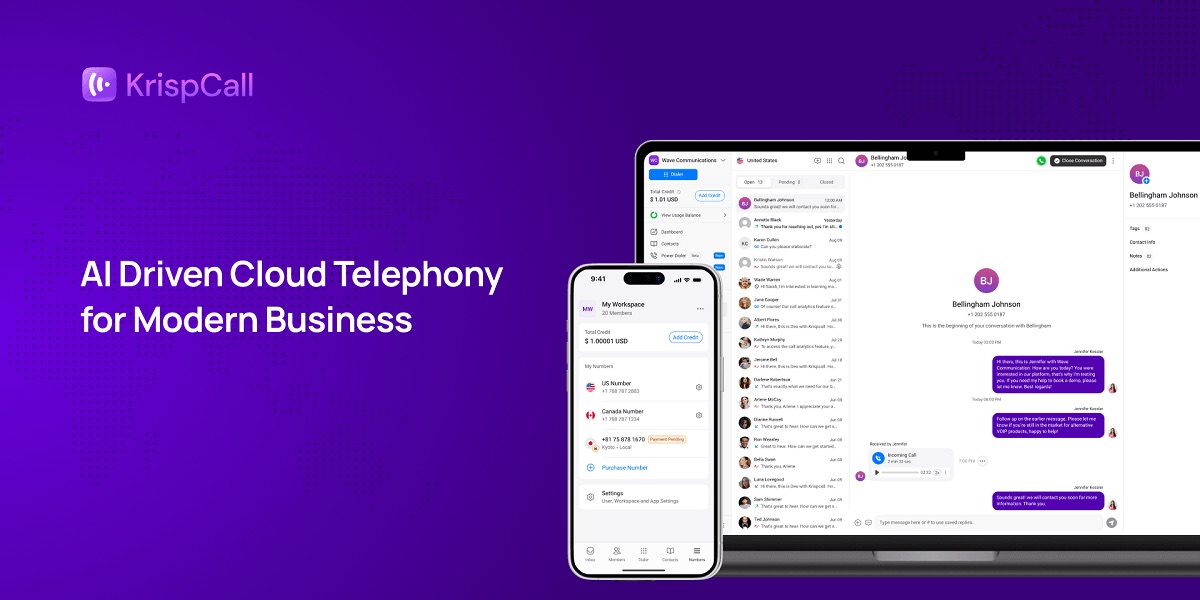
KrispCall is a cloud telephony platform with a published starting price lower than several competitors reviewed, making it a reasonable entry point for small outbound teams [6].
Verified features: KrispCall includes a Power Dialer designed to help reps "dial more, wait less" across outbound campaigns, a unified callbox that combines calls, SMS, voicemail, and team notes in one inbox, and live call monitoring [5]. It integrates with more than 100 CRMs [5].
Pricing: KrispCall's Starter plan is $12/user/month when billed annually (or $15/user/month billed monthly), Advance is $32/user/month annually, and Max is $48/user/month annually; Enterprise uses custom pricing [6]. KrispCall does not offer a free trial or free plan, but every paid plan includes a 14-day money-back guarantee [6].
Strengths: Transparent, published per-tier pricing and a dedicated Power Dialer make KrispCall straightforward to budget for small teams [5, 6].
Limitations: No free trial is available, unlike several competitors reviewed [6]. Calls and SMS are billed pay-as-you-go on top of the subscription [6].
Best fit: Small outbound teams that want clear, published pricing and a dedicated dialer without a long evaluation period.
HubSpot Sales Hub — Best for Teams Needing Deep Customization
HubSpot Sales Hub is a general sales platform built on HubSpot's Smart CRM, with calling tools as one part of a broader sales toolkit [9].
Verified features: Sales Hub includes sequences and lead tracking tools, and in its Enterprise edition supports custom objects that let teams model data specific to their business and connect it across more than 2,000 marketplace integrations [9].
Pricing: Sales Hub has a free plan at $0/month with no credit card required, plus paid Starter, Professional (from $100 per seat/month) and Enterprise (from $150 per seat/month) editions [9]. HubSpot also offers a 14-day free trial of its sales tools [9].
Strengths: Because Sales Hub is built on a full CRM rather than a phone system, it offers deeper customization options (custom objects, broad integrations) for teams whose process outgrows simpler calling tools [9].
Limitations: HubSpot is a general CRM and sales engagement platform, not telemarketing-specific; the page reviewed lists call recording and transcription in the Professional edition but does not detail dialer type or DNC/TCPA compliance tooling [9].
Best fit: Teams that want calling tools inside a broader, highly customizable sales platform rather than a dedicated outbound dialing tool.
Custom CRM development (SFDIFY) — For Workflows Off-the-Shelf Tools Can't Fit
This is SFDIFY's own custom CRM development service, not a packaged product. It fits telemarketing teams whose compliance rules, call-scripting logic, or integration needs don't map cleanly onto any CRM in this list.
SFDIFY builds custom CRMs and customer portals for businesses whose process doesn't fit an off-the-shelf tool, and as a Salesforce Consulting Partner will also recommend customizing Salesforce when that's the better fit [10]. A custom build makes sense when a team's process needs heavy workarounds in a standard CRM, when customers or partners need their own portal into the same data, or when per-seat pricing stops matching how many people actually use the system [10]. Pricing is project-based and not published; SFDIFY builds the core pipeline first, then adds integrations, automation, and portals in stages, and projects typically start 2 to 4 weeks after the first call [10]. For a deeper look at when this route makes sense versus an off-the-shelf CRM, see SFDIFY's CRM selection guide and the custom CRM development page.
Best fit: Telemarketing operations with unusual compliance requirements, scripting logic, or data models that keep breaking inside a standard CRM.
How to Choose the Right Telemarketing CRM for Your Team
For CRM telemarketing, start with call volume and dialer needs. Teams making a high volume of daily calls should weigh CallHippo or KrispCall for dedicated dialers (CallHippo's Parallel Dialer and predictive mode, KrispCall's Power Dialer) [4, 5], while teams that want calling folded into pipeline management may prefer Pipedrive, Zoho, or NoCRM.io [2, 7, 1].
Next, weigh budget against team size. Zoho's free tier and KrispCall's published $12/user/month starting price are useful for small teams testing outbound workflows before scaling [7, 6].
Finally, check compliance needs directly with each vendor. None of the pages reviewed listed explicit DNC list scrubbing or TCPA compliance tooling in detail, so compliance-heavy teams should confirm this directly before committing.
When to Consider a Custom-Built CRM Instead
If your team's compliance requirements, call-scripting rules, or lead-routing logic don't fit neatly into any of the tools above — or if per-seat pricing no longer makes sense for how many people touch your call data — a custom CRM avoids forcing your process into someone else's workflow [10]. This is also worth considering if your calling operation needs to integrate tightly with logistics, scheduling, or other internal systems; see SFDIFY's logistics software development page for an example of a specialized, integration-heavy build.
Our recommendation
For most telemarketing teams, start with Pipedrive or Zoho CRM: both combine calling with pipeline tracking at accessible, published pricing [2, 7]. If your team's main bottleneck is dialing volume rather than pipeline visibility, add CallHippo or KrispCall for a dedicated dialer [4, 5]. If your workflow involves unusual compliance rules or scripting logic that keeps breaking in standard tools, talk to SFDIFY about custom CRM development [10] — the first consultation is free.
FAQ
What is the difference between telemarketing software and a telemarketing CRM?
A telemarketing CRM tracks leads, deals and follow-ups, while telemarketing software focuses on placing and managing the calls. In this comparison, Pipedrive and Zoho CRM are CRMs with built-in calling [2, 7], while CallHippo and KrispCall are cloud phone systems that add dialers and connect to a separate CRM [3, 5].
Which CRM with power dialer features should I consider?
noCRM.io includes click-to-call and power-dialing inside its pipeline [1]. If you already use a CRM, KrispCall adds a Power Dialer and integrates with more than 100 CRMs, starting at $12 per user per month billed annually [5, 6].
Is outbound call center software the same as a CRM?
No. CallHippo, for example, is a cloud phone system with a call center suite (IVR, call queues, live monitoring and agent whisper) that syncs call data to a CRM, but it isn't a CRM itself [3]. Teams that need both usually pair it with a CRM such as Pipedrive or Zoho CRM, or build outbound call center CRM software around their own process [10].
What is the best telemarketing software for a small budget?
Zoho CRM's free edition supports up to 3 users [7], and KrispCall's Starter plan is $12 per user per month billed annually [6]. noCRM.io offers a 15-day free trial with no credit card required [8].
Sources
- noCRM | The action-driven sales tool to close more deals — checked 2026-11-07
- Sales CRM & Pipeline Management Software | Pipedrive — checked 2026-11-07
- CallHippo: VoIP Business Phone System & Virtual Numbers — checked 2026-11-07
- CallHippo Pricing Plans — checked 2026-11-07
- KrispCall: AI-Powered Communication Platform for Growing Businesses — checked 2026-11-07
- KrispCall Pricing | Cloud Phone System Plans Starting from $12/Month — checked 2026-11-07
- Zoho CRM Pricing and Editions - Free for 3 users — checked 2026-11-07
- noCRM Pricing | Starter, Expert & Dream Plans — checked 2026-11-07
- AI Sales Software for Pipeline & Closed Deals | HubSpot — checked 2026-11-07
- Custom CRM Development Company and Services — SFDIFY — checked 2026-11-07