 SFDIFY

For encrypted cloud backup of a small business's computers and servers, IDrive lets you set a private encryption key that "is never stored on IDrive servers" [1], Backblaze offers an "option to additionally encrypt all data with a private key" [2], and Acronis encrypts backups with a password you choose [3]. If you mainly need zero-knowledge file storage with version history, Tresorit, Sync.com and Proton Drive all use end-to-end encryption that the vendor itself cannot read [4] [5] [6]. On price per TB for a whole team, IDrive Team lists 5 TB for five users at $11.99 per month [7].
Most cloud services encrypt your data. What matters is who holds the key. With standard encryption, the provider manages it. With a private key or a zero-knowledge design, only you can decrypt your files, which protects client records and payroll data but means a lost key can leave the backup unreadable.
Backup tools copy whole computers, servers and often Microsoft 365 on a schedule and keep older versions. Encrypted storage services protect the folders you put in them and add secure sharing. Many small offices use one of each, so this list of cloud backup solutions for small business covers both.
How we chose
We compared six services on four questions: who holds the encryption key, how long old versions are kept, what can be backed up (computers, servers, Microsoft 365), and the price per user, device or TB. Everything comes from the vendors' own pricing, product and documentation pages, checked on 2026-11-08. We did not run hands-on tests and do not assign scores. Backup tools come first and encrypted storage second; the order is not a ranking. Several vendors show first-year discounts, so confirm renewal prices.
Encrypted cloud backup options compared
| Product | Best for | Starting price | Notable |
|---|---|---|---|
| IDrive | Computers, servers and Microsoft 365 under one account | Team: $11.99/month for 5 users and 5 TB, billed monthly [7] | Private key never stored on IDrive servers [1] |
| Backblaze | Unlimited backup of Macs and PCs | $99 per computer per year [8] | One-year version history included [8] |
| Acronis Cyber Protect | Servers, virtual machines and Microsoft 365 | Standard from $85.00/year [9] | AES-256 backup encryption with your password [3] |
| Tresorit | Regulated teams sharing files with clients | Business: $23.20/user/month, yearly billing, 3-user minimum [10] | Zero-knowledge, with data residency choices [4] |
| Sync.com | Low-cost encrypted team storage | Teams 1TB: $6/user/month, billed annually [11] | 180-day file history on Teams 1TB [11] |
| Proton Drive | Teams that also want encrypted email | Drive Professional: $7.99/user/month, billed yearly [12] | 365-day version history [12] |
IDrive — broad backup coverage at a low price per TB
IDrive is a backup-first service. It offers "Secure backup for computers, mobile devices, and servers" from one account [1], with Microsoft 365 backup available as an add-on [7].
Verified features: Files are encrypted "with 256-bit AES in transit and at rest". If you choose a private encryption key, it "is never stored on IDrive servers, which means nobody at IDrive can read your data" [1]. IDrive keeps "up to 30 previous versions of every backed-up file", and those versions do not count against your storage quota [1].
Pricing: On monthly billing, IDrive Team is $11.99 per month for five computers, five users and 5 TB [7]. Yearly and two-year billing show lower prices, but the page notes that "The discounted price applies to the first year of the selected plan" [7]. Server backup is a $5 per month per server add-on for the Mini, Personal and Team plans, and Microsoft 365 backup is $20 per seat per year with unlimited storage [7].
Strengths: Monthly Team billing works out to about $2.40 per TB per month, well below the encrypted storage services further down. Laptops, a server and Microsoft 365 can sit with one vendor on one bill, under your own key.
Limitations: The private key cuts both ways: IDrive notes that "only you can recover that key" [1]. Storage is capped by plan, and going over can bring an overuse charge of $0.50 per GB per month on Team and Business [7]. Version history is counted in versions per file rather than in days.
Best fit: Small offices that want every laptop, a server and Microsoft 365 protected under one private key and one bill.
Backblaze — simplest unlimited computer backup
Backblaze Computer Backup is endpoint backup, with "Automatic protection for Macs and PCs" on its Business plan [8].
Verified features: By default, Backblaze uses "2048 bit public / private keys" to secure an AES-128 key, with an "option to additionally encrypt all data with a private key" [2]. "One-year version history" is included [8].
Pricing: Business Backup is $99 per year per computer, with "Unlimited backup per device" [8].
Strengths: No storage quotas to manage, so a designer's multi-terabyte laptop costs the same as a sales rep's [8].
Limitations: The private key is optional, not the default. The product is built for Macs and PCs [8], so plan on a second tool for Linux servers or Microsoft 365. Offices with many light users pay for capacity they do not use.
Best fit: Mac and Windows teams with large amounts of data per laptop who want a flat, predictable price.
Acronis Cyber Protect — for servers, VMs and Microsoft 365

Acronis Cyber Protect combines backup with security tools. Its backup covers "Windows and Linux servers and Windows, macOS and Linux endpoints", plus VMware vSphere and Microsoft Hyper-V virtual machines [13].
Verified features: Encryption is set in a protection plan with your own password and a choice of AES 128, 192 or 256 [3]. Acronis is direct about the tradeoff: "There is no way to recover encrypted backups if you lose or forget the password" [3].
Pricing: Standard is listed "From $85.00 /year" and protects up to five devices, Backup Advanced starts at $109.00 per year, and Advanced at $129.00 per year [9]. "A license is required for every machine" you back up [9]. Each license includes some Acronis Cloud Storage: 250GB per server and 50GB per workstation, with unlimited cloud storage for Microsoft 365 and Google Workspace backup [9].
Strengths: The widest workload coverage on this list, managed from one console.
Limitations: Microsoft 365 backup "is only supported in Acronis Cyber Protect Backup Advanced edition" and is sold in five-seat packs [9]. The included 50GB per workstation is small for data-heavy laptops, licensing has more moving parts than IDrive or Backblaze, and the encryption page cited is from the Cyber Protect 15 documentation.
Best fit: Offices with on-premises servers or virtual machines, or teams that work with a managed IT provider.
Tresorit — zero-knowledge storage for regulated teams
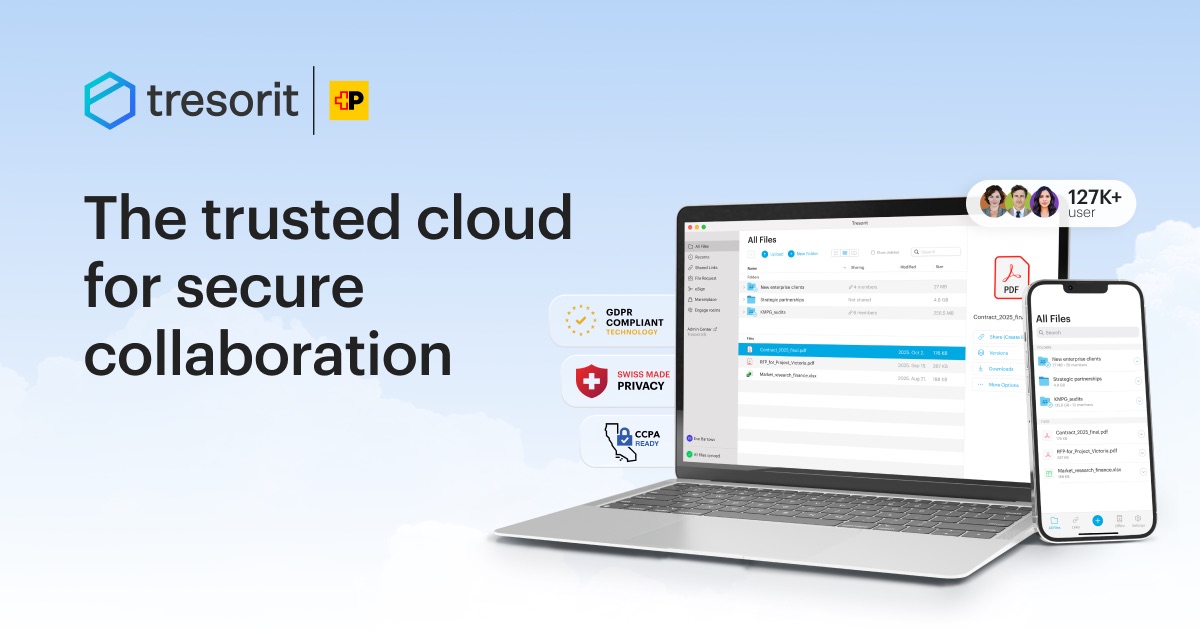
Tresorit is end-to-end encrypted cloud storage and file sharing rather than a whole-machine backup tool. It encrypts "all files on your device before they ever leave it", and "Only you and your intended recipients hold the decryption keys" [4].
Verified features: Version history lets Tresorit "restore previous versions to correct mistakes or revert changes", with 100 versions on the Business and Professional plans and unlimited on Enterprise [10]. You can keep data "EU-only or any of our 12 global locations" [4]. The plan comparison lists HIPAA compliance [10].
Pricing: With yearly billing selected, Professional is $32 per month for one user with 4 TB, and Business is $23.20 per user per month for at least 3 users [10], with 2 TB per user [10].
Strengths: Every plan includes a "Zero-knowledge system" so that "not even Tresorit can see your data" [10], which suits work with confidential client files.
Limitations: It costs the most per TB of the storage services here: Business works out to about $11.60 per TB per month. It protects the folders you put in it, not whole computers, servers or Microsoft 365.
Best fit: Professional-services and healthcare teams that exchange confidential files with clients.
Sync.com — low-cost encrypted team storage
Sync.com says it keeps files private "with end-to-end encryption — not even we can see them" [5].
Verified features: File history lets you "Preview and restore previous versions of a file, including deleted files", with 180-day history on Teams 1TB and 365-day history on Teams 2TB and 10TB [11]. Sync lists HIPAA compliance for personal healthcare information [11].
Pricing: Teams 1TB is $6 per user per month billed annually, with a first-year price of $4.50, and has a 3 user minimum [11].
Strengths: The lowest per-user price among the zero-knowledge services here, and "clients and customers you share with do not count as users" [11].
Limitations: Sync protects what is in your Sync folder, not whole machines, servers or Microsoft 365. The 1 TB plan keeps about half the history of the larger plans, and the three-user minimum rules out solo use of team pricing.
Best fit: Small teams that want private file storage and client sharing at a low price per user.
Proton Drive — encrypted storage alongside private email
Proton Drive is end-to-end encrypted cloud storage from Switzerland, and Proton says "Not even Proton can access your files" [6].
Verified features: Drive Professional includes "Proton Drive CLI for automated server backups & scriptable workflows" [12]. File version history is 365 days on Drive Professional and 10 years on the Workspace plans [12]. Data is stored "on servers in Switzerland or Germany", and Proton says Drive helps with GDPR and HIPAA compliance [12].
Pricing: Drive Professional is $7.99 per user per month with 1 TB per user, billed at $95.88 every 12 months [12]. Workspace Standard, which adds mail, calendar, VPN and a password manager, is $12.99 per user per month [12].
Strengths: Long version history at a mid-range price, and an easy move to encrypted email from the same vendor.
Limitations: It is storage and sync first; server backups go through a command-line tool that takes technical setup.
Best fit: Small teams moving away from Google Workspace or Microsoft 365 toward a privacy-first suite.
How to choose the best cloud backup for small business
- Decide who holds the key. Private-key and zero-knowledge modes mean the vendor cannot rescue you if the key is lost [1] [3]. Keep it in a company password manager.
- Separate backup from sync. A sync folder copies deletions and ransomware damage to every device; a backup keeps history. Our Dropbox alternatives comparison covers the sync side.
- List what you must protect. Laptops only: Backblaze or IDrive. Laptops plus a server and Microsoft 365: IDrive or Acronis. Shared client folders: Tresorit, Sync.com or Proton Drive.
- Check the retention window. IDrive keeps up to 30 versions per file [1], Backblaze one year of versions [8], and Proton Drive Professional 365 days [12].
- Price the real total. Backblaze charges per computer, IDrive by storage tier, and Tresorit, Sync.com and Proton Drive per user.
- Back up what your apps hold. A custom CRM or internal app keeps its data in a database that needs its own backup schedule. Pair backup with endpoint protection too; see Bitdefender vs Norton for small business.
FAQ
Is there a HIPAA compliant cloud backup for small practices?
Yes. IDrive says that "As per HIPAA compliance we sign a Business Associate Agreement" [7]. Tresorit, Sync.com and Proton Drive also list HIPAA compliance on their plan pages [10] [11] [12]. Whichever you pick, get a signed Business Associate Agreement before storing patient data.
What is private cloud backup, and who holds the encryption key?
Private cloud backup usually means backup encrypted with a key only you hold. IDrive's private key is never stored on its servers [1], Backblaze lets you add a private key on top of its default encryption [2], and Acronis encrypts with your own password, which cannot be recovered if lost [3].
Is there a free cloud backup with encryption?
IDrive has a free Basic plan with 10 GB and no credit card required [7]. Proton Drive offers 5 GB free with no credit card required [6]. Both are best used to test the software.
What should cloud backup software for a small business cover?
At minimum, every computer, any on-site server and your Microsoft 365 data. IDrive covers servers and Microsoft 365 as paid add-ons [7]. Acronis covers servers, but Microsoft 365 only on Backup Advanced [13] [9]. Backblaze Business Backup is built to protect Macs and PCs [8].
Our recommendation
For small offices that need laptops, a server and Microsoft 365 protected under one key, IDrive covers all three at a published per-TB price; budget for first-year discounts ending and storage caps. Mac and Windows teams with heavy data per laptop will find Backblaze simpler, and offices with servers or virtual machines should look at Acronis. For encrypted client file sharing, Tresorit fits regulated work, Sync.com costs least, and Proton Drive suits teams that also want encrypted email.
Sources
- IDrive cloud backup and storage for home and business — checked 2026-11-08
- Backblaze Computer Backup pricing — checked 2026-11-08
- Acronis Cyber Protect 15 documentation: Encryption — checked 2026-11-08
- Tresorit end-to-end encrypted cloud storage for businesses — checked 2026-11-08
- Sync secure cloud storage — checked 2026-11-08
- Proton Drive secure cloud storage — checked 2026-11-08
- IDrive pricing plans — checked 2026-11-08
- Backblaze Business Computer Backup — checked 2026-11-08
- Acronis Cyber Protect editions and pricing — checked 2026-11-08
- Tresorit SecureCloud business plans and pricing — checked 2026-11-08
- Sync plans and pricing — checked 2026-11-08
- Proton Drive for Business pricing — checked 2026-11-08
- Acronis cloud backup for MSPs and IT teams — checked 2026-11-08


