SFDIFY

For most businesses, the best PDF editor is a full desktop suite: Adobe Acrobat Pro for teams lists at US$23.99 per license per month on an annual plan [1], while Foxit PDF Editor costs $129.99 per user per year and also sells a one-time license [2]. Mac-only shops should look at PDF Expert ($79.99 per year) [3], and teams that mostly fill and sign forms in a browser can start with pdfFiller from $8 per month on an annual plan [4].
Most of these tools edit text, convert to Word and add signatures, so the right pick comes down to three questions: which operating systems your team uses, whether you want a subscription or a one-time license, and whether your PDF work is mostly editing or mostly forms and signatures.
How we chose
We compared six widely used PDF editors on platform coverage, editing and conversion depth, e-signature and form tools, licensing, and published price. Every fact comes from the vendor's own homepage or pricing page, checked on November 8, 2026, and is cited. We did not do hands-on testing and we do not score products. Prices change, so confirm before you buy.
Disclosure: SFDIFY earns a commission if you buy Foxit PDF Editor through our link. That does not change the order or what we say about it.
Best PDF editor comparison table
| Product | Best for | Starting price (business use) | Notable |
|---|---|---|---|
| Adobe Acrobat | Teams that want the most complete toolset | US$16.99/mo per license, Standard for teams, annual [1] | Redaction and version compare only in Pro and Studio [1] |
| Foxit PDF Editor | Acrobat-style editing at a lower list price | $129.99 per user per year [2] | One-time license option at $209.99 per user [2] |
| Nitro PDF | Windows-heavy teams that want an Office-style interface | $15 USD per user/month, billed $180 annually [5] | Three-year Windows license for $270 [5] |
| pdfFiller | Browser-based forms, templates and e-signatures | $8 per month, annual commitment [4] | Premium includes a signNow Premium plan [4] |
| PDF Expert | Mac, iPhone and iPad users | $79.99 per year [3] | $139.99 lifetime option, Mac only [3] |
| Smallpdf | Occasional edits in the browser | Free plan; paid prices did not display when checked [6] | Text editing needs Pro [7] |
Adobe Acrobat — the full-featured standard
Adobe Acrobat is the reference point most buyers start from. Its top business tier, Acrobat Studio for teams, adds AI Assistant [1].
Verified features: Acrobat lets you "Update text and images, rearrange content, organize pages," request e-signatures and track their status [8]. It is available "on desktop, web, and mobile plus browser extensions" [8].
Pricing: Business plans are per license, on an annual plan billed monthly: Acrobat Standard for teams at US$16.99/mo, Acrobat Pro for teams at US$23.99/mo, and Acrobat Studio for teams at US$29.99/mo [1]. On annual plans, a fee of half your remaining commitment applies if you cancel after 14 days [1].
Strengths: A deep toolset. Pro for teams includes "70+ PDF tools," redaction and version comparison, plus admin features [1].
Limitations: It is the most expensive option here per seat. The cheaper Standard for teams plan does not include redaction or PDF version comparison [1], so teams that need redaction have to buy Pro.
Best fit: Companies that need redaction and one tool across Windows, Mac, web and mobile.
Foxit PDF Editor — the closest Acrobat alternative on price
Foxit PDF Editor covers the same core jobs as Acrobat at a lower list price.
Verified features: The base PDF Editor plan covers "professional editing, conversion, OCR, forms, and document security on Windows, macOS, and web" [2]. Every subscription includes Foxit DMS "with unlimited cloud storage and 300 free AI credits per month" [2]. PDF Editor+ adds "mobile apps for iOS and Android, Foxit eSign Essentials with 150 envelopes per year, and AI-powered Smart Redact" [2].
Pricing: Foxit PDF Editor is $129.99 per user per year and PDF Editor+ is $159.99 per user per year, "with monthly billing available from $10.99" [2]. A perpetual license, Foxit PDF Editor 14, is "a one-time $209.99 per user" [2]. Orders of 30 or more licenses get volume discounts of up to 30%, and every plan starts with "a 14-day free trial with no credit card required" [2].
Strengths: Lower list price than Acrobat's team plans, a one-time license option, and bundled document management.
Limitations: The base plan does not include mobile apps or Smart Redact; you need PDF Editor+ for those [2]. Its e-sign allowance is capped at 150 envelopes per year on PDF Editor+ [2], so a team sending many contracts will need a separate e-sign plan. The perpetual license "Does not include AI Assistant, Workspace, Smart Redact, DMS, or cloud features" [9].
Best fit: Small and mid-sized businesses on Windows and Mac that want Acrobat-style editing for less, or prefer to buy once.
Nitro PDF — Office-style editing for Windows-first teams
Nitro PDF is built around an interface "mirroring the Microsoft Office and Apple toolbars," which shortens the learning curve for staff who live in Word and Excel [10].
Verified features: Nitro covers creating, editing, converting and securing documents "across Windows, Mac, iOS, and web browsers" [10]. Nitro PDF Standard includes batch OCR, AI tools to summarize and extract data, and the Nitro Admin portal with 24/7/365 support for two or more licenses [5].
Pricing: Nitro PDF Standard is $15 USD per user per month, billed $180.00 annually [5]. Nitro PDF Classic is a three-year license at $270 per license, billed once, for Windows desktop only [5]. You can buy up to 20 subscription licenses online; larger teams go through sales [5]. The free trial runs 14 days with "no credit card required" [5].
Strengths: Familiar interface, admin tools in the standard plan, and a non-subscription option.
Limitations: Nitro PDF Plus pricing is not published; it requires a sales conversation [5]. Classic is "not available for Mac or mobile" and leaves out the AI and cloud features [5].
Best fit: Windows-centric offices of 2 to 20 people that want a straightforward per-seat subscription.
pdfFiller — forms, templates and e-signatures in the browser
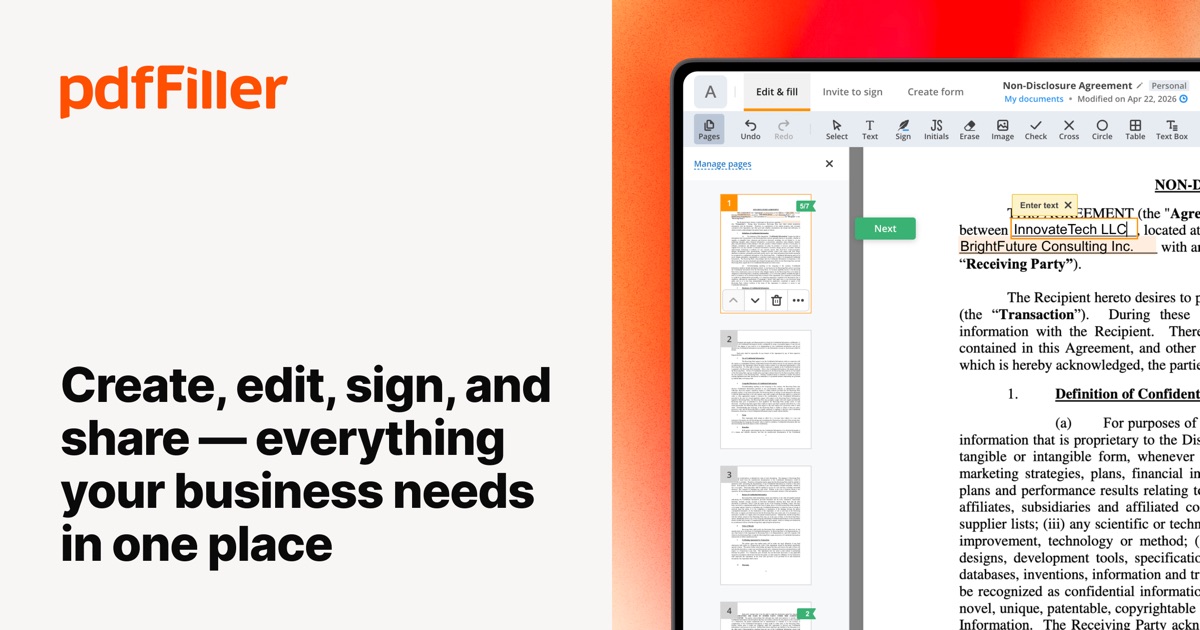
pdfFiller is an online pdf editor focused on document workflows: filling, building and sending forms rather than heavy layout editing.
Verified features: pdfFiller lets you turn a PDF "into a fillable form by adding fillable fields," send documents "for signature in a role-based order," and share them "via a link, email, or publish it on a website" [11]. It integrates "with CRMs, G Suite and other cloud platforms" [4].
Pricing: Basic is $8 per month on an annual commitment or $20 month-to-month; Plus is $12 or $30; Premium is $15 or $40 [4]. Premium adds "signNow Premium plan included," web forms, custom branding and user management [4]. There is a "Free 30-day trial" [11].
Strengths: The longest trial in this list and e-signature built into Premium.
Limitations: Month-to-month prices are much higher than annual ones [4]. Reusable templates and fillable fields start on Plus, not Basic [4]. It is web-first, not a full desktop editor.
Best fit: Teams whose PDF work is mostly forms and signatures. If your forms end up feeding a CRM, our guide to choosing between custom, Salesforce and off-the-shelf CRM covers the other half of that workflow.
PDF Expert — the PDF editor for Mac, iPhone and iPad
PDF Expert describes itself as "The go-to PDF editor for iPhone, iPad and Mac" [12]. If your company runs on Apple hardware, it is the most natural pdf editor for Mac in this list.
Verified features: PDF Expert edits "PDF text, images, links, signatures, pages, and files," converts PDFs "to Word, Excel, PowerPoint and JPG," and uses OCR "to recognize the text in scanned documents" [12].
Pricing: The Yearly plan is $79.99, billed annually, and covers "iPhone, iPad, and Mac versions" [3]. The Lifetime license is "$139.99 one-time payment" for the Mac version only [3]. Both come with a "30-day money back guarantee" [3].
Strengths: Lower annual price than the cross-platform suites and one subscription across Apple devices.
Limitations: No Windows version is listed, which rules it out for mixed-OS teams [12]. The pricing page lists no team plan or admin console, so seat management is manual.
Best fit: Small Apple-only teams; it is a strong candidate for best pdf editor for Mac when nobody uses Windows.
Smallpdf — quick edits in the browser
Smallpdf is a browser-based toolkit for converting, compressing, merging and editing PDFs, with "30 tools to convert, compress, and edit PDFs for free" [13].
Verified features: With a free account you can "add text, images, highlights, and drawings to your PDFs, as well as organize your documents" [7].
Pricing: Smallpdf lists Free, Pro, Team (2 to 19 seats) and Business (20+ seats, custom pricing) plans, with a 7-day free trial [6]. The dollar amounts for Pro and Team did not load on the pricing page when we checked, so confirm them at checkout.
Strengths: No install and a usable free tier.
Limitations: "Direct PDF text editing requires a Pro subscription" [7], so the free tier is closer to an annotator than a full editor.
Best fit: Light, occasional PDF needs.
How to choose the right PDF editor software
Start with platforms. If you need the best pdf editor for Windows, shortlist Acrobat, Foxit and Nitro; PDF Expert is Apple-only. If everyone is on Mac and iPhone, PDF Expert's single subscription covers all three Apple platforms [3].
Next, decide between subscription and one-time license. Foxit, Nitro and PDF Expert all sell non-subscription licenses [2] [5] [3].
Then look at what your PDF work really is:
- Heavy editing and redaction: Adobe Acrobat Pro or Foxit PDF Editor+.
- Forms and signatures: pdfFiller, or the e-sign tools bundled with Acrobat and Foxit PDF Editor+.
- Occasional quick edits: Smallpdf's free plan or Pro.
Finally, count seats. Adobe's team plans are per license [1], Nitro sells up to 20 licenses online [5], and Foxit discounts orders of 30 or more [2].
If PDFs feed a bigger process, such as contracts that should update your CRM, a PDF editor alone will not close the loop. That is where AI integration services or a custom CRM build can automate extraction and routing.
FAQ
What is the best free PDF editor?
There is no fully featured free editor among these six. Smallpdf's free account lets you add text, images, highlights and drawings, but direct text editing requires Pro [7]. Adobe Acrobat Reader is free but is for opening and viewing PDFs [8]. Foxit includes 300 AI credits a month even on its free PDF Reader [9].
What is the best PDF editor for Mac?
PDF Expert is built for Apple devices and costs $79.99 per year for Mac, iPhone and iPad, or $139.99 once for a Mac-only license [3]. If your team also uses Windows, Foxit PDF Editor runs on Windows, macOS and web [2], and Adobe Acrobat is available on desktop, web and mobile [8].
Is there an online PDF editor good enough for business?
Yes, for forms and light editing. pdfFiller runs in the browser and includes fillable fields, role-based signing and a forms library [11] [4]. Smallpdf offers Team and Business plans with centralized billing [6].
Can I buy PDF editor software without a subscription?
Yes. Foxit sells a perpetual license for $209.99 per user [2], Nitro PDF Classic is $270 for a three-year Windows license [5], and PDF Expert offers a $139.99 lifetime Mac license [3].
Our recommendation
If you want the most complete toolset, buy Adobe Acrobat Pro for teams. If you want comparable editing on Windows and Mac for less, or a one-time license, trial Foxit PDF Editor. Apple-only teams should pick PDF Expert, form-heavy teams pdfFiller, and light users can stay on Smallpdf's free plan until they need text editing.
Sources
- Adobe Acrobat plans and pricing — checked 2026-11-08
- Foxit PDF Editor Pricing — Compare Plans — checked 2026-11-08
- PDF Expert pricing: Choose your Premium plan — checked 2026-11-08
- Plans and Pricing | pdfFiller — checked 2026-11-08
- PDF & eSign Plans & Pricing | Nitro Software — checked 2026-11-08
- Smallpdf Pricing and Plans — checked 2026-11-08
- Free PDF Editor: Change & Edit PDF Content Online — checked 2026-11-08
- Adobe Acrobat | Manage all your documents with trusted PDF tools — checked 2026-11-08
- Foxit PDF Editor — checked 2026-11-08
- PDF & eSign Software | Nitro Software — checked 2026-11-08
- pdfFiller: All-in-One PDF Editing & Document Management Solution — checked 2026-11-08
- PDF Editor and Reader for Mac | PDF Expert — checked 2026-11-08
- Smallpdf - A Free Solution to all your PDF Problems — checked 2026-11-08