SFDIFY

monday.com pricing for its main work management product starts with a Free plan for up to 2 seats, then Basic at $9, Standard at $12 and Pro at $19 per seat per month billed yearly, or $12, $14 and $24 billed monthly; Enterprise is quote-only [1]. Paid plans are sold in seat buckets that start at 3 seats, so the smallest paid bill is $27 a month on yearly Basic [1]. monday CRM is a separate product at $18, $25 and $41 per seat per month on monthly billing [2]. Trello and ClickUp list lower paid entry prices than monday.com Standard, and Asana Starter falls between monday.com Basic and Standard [1] [3] [4] [5].
How we chose
We priced monday work management (the plans most people mean by "monday.com") and monday CRM, then set them next to Asana, ClickUp and Trello. Every price and feature comes from the vendors' own pricing pages and homepages, checked on 2026-11-08, with monday.com's team-size and billing toggles recorded in a browser. We did no hands-on testing. Prices are in US dollars and exclude tax; monday.com notes "The price is determined by the user's billing country" [1].
monday.com pricing at a glance
| Product | Best for | Starting price | Notable |
|---|---|---|---|
| monday.com (work management) | Teams that want boards, automations and AI in one workspace | Free for up to 2 seats; Basic $9/seat/month billed yearly [1] | Paid plans start at 3 seats [1] |
| monday CRM | Sales teams tracking leads, contacts and deals | $18/seat/month billed monthly [2] | No free plan; 14-day trial [2] |
| Asana | Cross-functional project teams | Personal $0; Starter $10.99/user/month billed annually [3] | Seats added one at a time between 2 and 5 users [3] |
| ClickUp | Budget teams that want docs, chat and tasks together | Free Forever $0; Core $9/user/month billed yearly [4] | "Unlimited Free Members" on Free Forever [4] |
| Trello | Small teams on simple Kanban boards | Free for up to 10 collaborators; Standard $5/user/month billed annually [5] | Lowest paid per-user list price in this group [5] |
monday.com pricing plans explained
Each work management plan is priced per seat, and the seat count is chosen from fixed sizes covered in the next section.
Free: $0 for up to 2 seats
The Free plan is "free forever" for up to 2 seats and includes up to 3 boards, up to 3 Docs, 200+ templates and 8 column types [1].
Basic: $9 yearly or $12 monthly per seat
Basic adds unlimited free viewers and unlimited items, with 1,000 AI credits a month [1]. Automations and integrations are not in the Basic list; they first appear on Standard [1].
Standard: $12 yearly or $14 monthly per seat
Standard adds automations and integrations (250 actions a month each), Timeline and Gantt views, a calendar view, guest access and 2,000 AI credits a month [1]. For most teams it is the realistic starting point.
Pro: $19 yearly or $24 monthly per seat
Pro raises automations and integrations to 25,000 actions a month each and adds private boards and docs, time tracking and advanced columns, with 3,000 AI credits a month [1]. monday.com offers "a 14-day free trial of the Pro plan" for work management, CRM and dev [1].
Enterprise: custom quote
Enterprise is quote-only, and the yearly view notes "Discounts available" [1]. Its main additions are covered in the FAQ below.
Seat buckets, minimums and annual vs monthly billing
Seat buckets. The team-size menu offers 3, 5, 10, 15, 20, 25, 30, 40, 50, 100 and 200+ seats, and the FAQ says "Plans start from 3 users" [1]. Because sizes are fixed, a 4-person team would price the 5-seat option, and a pair leaving the Free plan pays for 3 seats.
Annual vs monthly. monday.com says "by choosing a yearly plan, you will receive an 18% discount" [1]. Yearly plans are paid upfront: "If you purchase a plan for one year, you will pay for one year upfront" [1]. By our math, the actual per-seat gap is 25% on Basic, about 14% on Standard and about 21% on Pro.
Refunds and downgrades. If you paid for a yearly plan in the last 30 days and cancel, monday.com says you are "entitled to a partial refund" of the remaining balance [1]. Outside that window, assume a yearly plan is a year-long commitment.
AI credits on the bill. At 10 seats on yearly Standard, the price breakdown shows "$12 x 10 seats = $120," then "2,000 credits = $20" and a "Special monthly discount = -$20" [1]. The credits net out today, but they are priced separately, so watch for that offer changing.
What monday.com costs at 3 and 10 seats
| Team size and billing | Basic | Standard | Pro |
|---|---|---|---|
| 3 seats, billed yearly (per month) | $27 | $36 | $57 |
| 3 seats, billed monthly | $36 | $42 | $72 |
| 10 seats, billed yearly (per month) | $90 | $120 | $190 |
| 10 seats, billed yearly (per year) | $1,080 | $1,440 | $2,280 |
Monthly figures are the totals shown on the pricing page [1]; the per-year row is our math (monthly total times 12).
monday work management pricing vs monday CRM pricing
monday CRM is a separate product. On monthly billing, Basic is $18, Standard $25 and Pro $41 per seat per month [2]. With the yearly toggle on, the page shows "Yearly SAVE 33%" and lists $12, $17 and $28 with the monthly prices struck through, while the CRM FAQ on the same page says a yearly plan "results in an 18% discount" [2]. Confirm the figure at checkout. The top tier is Ultimate, a custom quote; monday.com notes "Ultimate is a new name for our Enterprise tier" [2].
CRM plans are capped by records: Basic allows 1,000 active contacts and deals, Standard 10,000 and Pro 100,000 [2]. Pro adds the ability to "Send mass emails" and set email sequences [2]. There is no free CRM plan: "Your first option to use monday CRM for free is a 14-day trial" [2].
Which do you need? Projects, tasks and requests fit work management; a pipeline with contacts, quotes and sales email fits monday CRM, at a higher per-seat price. If you are weighing an off-the-shelf CRM against a build, our guide to choosing between custom, Salesforce or off-the-shelf CRM walks through the trade-offs, and our HubSpot alternatives comparison covers other sales CRMs.
monday.com — flexible boards, bucketed seats
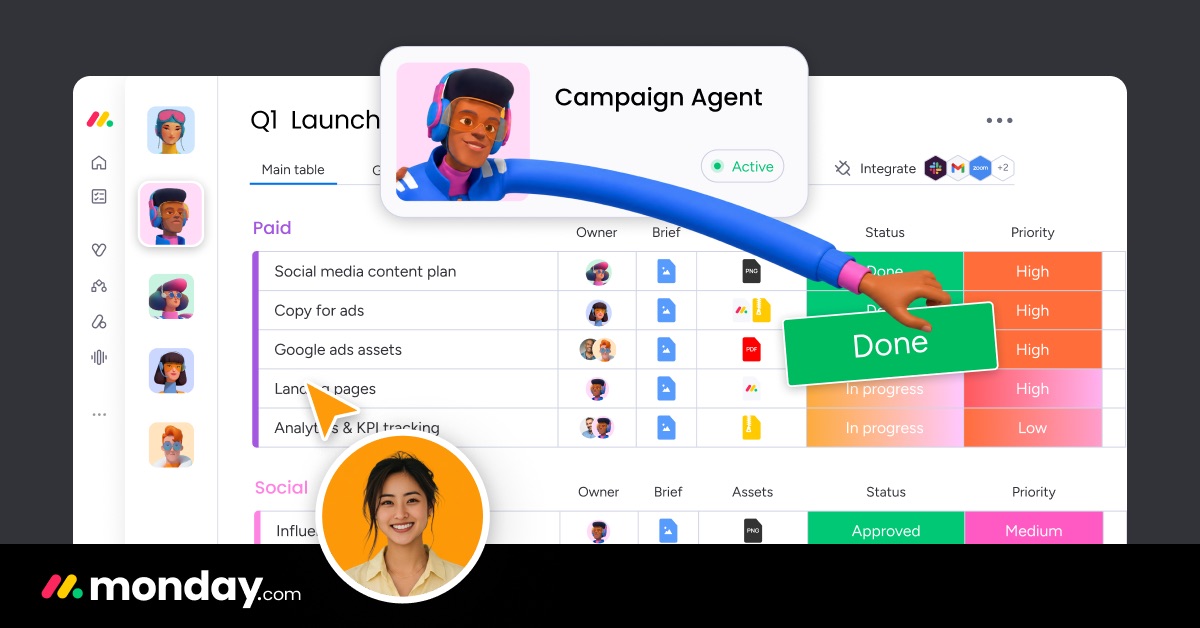
monday.com describes itself as "The AI workspace where people and agents drive business results together" [6].
Verified features: Boards, Docs and templates on every plan; automations and Gantt views from Standard; time tracking on Pro; portfolio management on Enterprise [1].
Pricing: Free for up to 2 seats; Basic $9, Standard $12, Pro $19 per seat per month billed yearly ($12, $14, $24 monthly); Enterprise by quote [1].
Strengths: Every self-serve plan shows its team total on the page [1]. Unlimited free viewers from Basic up help when many people only need to read [1].
Limitations: The 3-seat minimum and fixed seat buckets penalize very small or oddly sized teams [1]. Standard caps automations at 250 actions a month [1], while Asana's Starter lists "Unlimited automations" [3]. CRM is a separate purchase, and its yearly discount is stated two different ways on the same page [2].
Best fit: Teams of three or more that want one configurable workspace and will use automations, ideally on yearly Standard or Pro.
Asana — per-user pricing with flexible seats
Asana positions itself as "Work & Project Management for Human-Agent Teams" [7].
Verified features: Starter includes Timeline and Gantt views, reporting dashboards, "Unlimited automations," forms and unlimited free guests [3].
Pricing: Personal is $0, and "2 users collaborate for free"; Starter is $10.99 per user per month billed annually or $13.49 billed monthly; Advanced is $24.99 billed annually or $30.49 monthly [3].
Strengths: Between 2 and 5 total users you add seats one at a time [3], so a 4-person team pays for 4. Automations are not capped by count on Starter [3].
Limitations: The next tier, Advanced, is $24.99 per user per month billed annually [3], above monday.com Pro at $19 [1]. From 6 to 30 users, Asana says you "add seats in increments of 5" [3], so it also rounds up seats once a team passes 5.
Best fit: Project teams that want uncapped automations at the entry paid tier.
ClickUp — lowest-cost all-in-one workspace

ClickUp says it "connects your work, knowledge, and conversations to AI" [8].
Verified features: Core adds unlimited storage, Gantt charts and 1K automations a month to Free Forever [4].
Pricing: Free Forever $0; Core $9 per user per month billed yearly, against a "Regular price" of $12 [4].
Strengths: A free tier with unlimited members and a paid entry price below monday.com Standard [4].
Limitations: Free Forever has 60 MB of storage [4], so file-heavy teams will need Core.
Best fit: Cost-conscious teams that want tasks, docs and chat in one tool.
Trello — the cheapest simple boards
Trello promises to help you "Capture, organize, and tackle your to-dos from anywhere" [9].
Verified features: Free covers up to 10 boards per Workspace; Premium adds Calendar, Timeline, Table, Dashboard and Map views [5].
Pricing: Free for up to 10 collaborators per Workspace; Standard $5 per user per month billed annually ($6 monthly); Premium $10 ($12.50 monthly) [5].
Strengths: The lowest paid list price here, and a free plan that fits up to 10 collaborators [5].
Limitations: Timeline and dashboard views require Premium [5], so timeline planning costs $10 a user, not $5.
Best fit: Small teams whose work fits Kanban lists and cards.
Price comparison: monday.com vs Asana, ClickUp and Trello
| Plan (10 users, billed annually) | Per user per month | Team per month |
|---|---|---|
| monday.com Standard | $12 [1] | $120 [1] |
| Asana Starter | $10.99 [3] | $109.90 |
| ClickUp Core | $9 [4] | $90 |
| Trello Standard | $5 [5] | $50 |
| Trello Premium | $10 [5] | $100 |
Asana, ClickUp and Trello team totals are our math (per-user price times 10), before tax and add-ons.
How to choose
Start with headcount: monday.com bills a minimum of 3 paid seats [1], while Asana adds seats one at a time up to 5 [3]. Next, decide whether you need automations; on monday.com they start on Standard [1]. Then decide whether you are buying for projects or a sales pipeline. A pipeline points to monday CRM or another CRM; if no off-the-shelf CRM fits your process, a custom CRM build is another route. Finally, compare totals for your actual seat bucket, not the headline percentage.
FAQ
How much does monday.com cost?
monday.com costs $0 on Free for up to 2 seats. Paid work management plans are $9 (Basic), $12 (Standard) and $19 (Pro) per seat per month billed yearly, or $12, $14 and $24 billed monthly, with a 3-seat minimum [1]. A 3-seat team on yearly Basic pays $27 a month [1].
What is monday CRM pricing?
monday CRM is $18 (Basic), $25 (Standard) and $41 (Pro) per seat per month on monthly billing, with Ultimate by quote [2]. Yearly pricing on the same page showed $12, $17 and $28 [2]. There is no free plan, only a 14-day trial [2].
What does monday.com Enterprise pricing include?
Enterprise is a custom quote "Fully customized to your business needs" [1]. It adds enterprise-grade security and governance, up to 250,000 automation and integration actions a month, and portfolio management [1].
Does monday.com offer nonprofit pricing?
Yes. monday.com says it offers "discounted pricing for qualified nonprofit organisations" [1]; the pricing page links to a separate nonprofit page for details.
Is Asana or monday.com cheaper?
Asana Starter is $10.99 per user per month billed annually ($13.49 monthly), against $12 ($14 monthly) for monday.com Standard [1] [3]. For a team of 4, Asana bills 4 seats while monday.com bills its 5-seat bucket [1] [3].
Our recommendation
For most small teams, yearly monday.com Standard is the plan to price first: it is the first tier with automations, integrations and Gantt views [1]. Very small or cost-sensitive teams should start with Trello or ClickUp free plans, and teams that mainly track deals should price monday CRM separately. Use the 14-day Pro trial before paying a year upfront.
Sources
- monday.com pricing and plans — checked 2026-11-08
- monday.com CRM pricing: find the plan that works for you — checked 2026-11-08
- Asana Pricing | Personal, Starter, Advanced, & Enterprise plans • Asana — checked 2026-11-08
- ClickUp Pricing and Plans — checked 2026-11-08
- Which Trello Plan Is Best for You? Our Pricing Guide Can Help — checked 2026-11-08
- The AI Workspace for People & Agents | monday.com — checked 2026-11-08
- Work & Project Management for Human-Agent Teams • Asana — checked 2026-11-08
- ClickUp™ | Maximize productivity • Software, AI, and humans converge — checked 2026-11-08
- Capture, organize, and tackle your to-dos from anywhere — checked 2026-11-08