 SFDIFY
- Build an evaluation set from real examples, including messy and edge cases.
- Score the model against that set and agree on a minimum pass threshold before launch.
- Test the feature with bad, incomplete, and adversarial input on purpose.
An AI feature is ready to ship when it passes five checks: accuracy against a real test set, behavior under bad or adversarial input, a clear fallback for when the model gets it wrong, cost and latency at real volume, and a way to monitor it after launch. We built this sequence running MyCheck, Yolda, and client AI products, and we do not skip steps just because a demo looked good.
- A demo that works once is not evidence — you need a test set of real examples, scored before every release, not just before the first one.
- Every AI feature needs a defined fallback path (human review, a safe default answer, or a "we don't know") for the cases the model gets wrong.
- Cost and latency at real traffic volume can kill a feature that looked fine with five test users — check this before launch, not after.
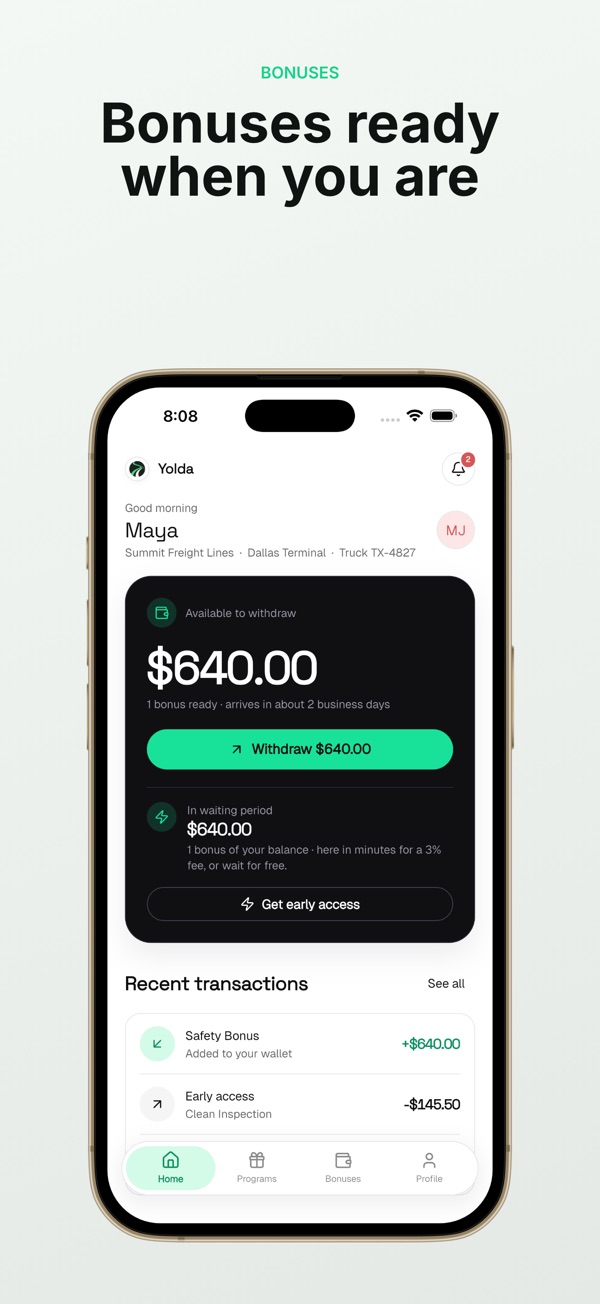
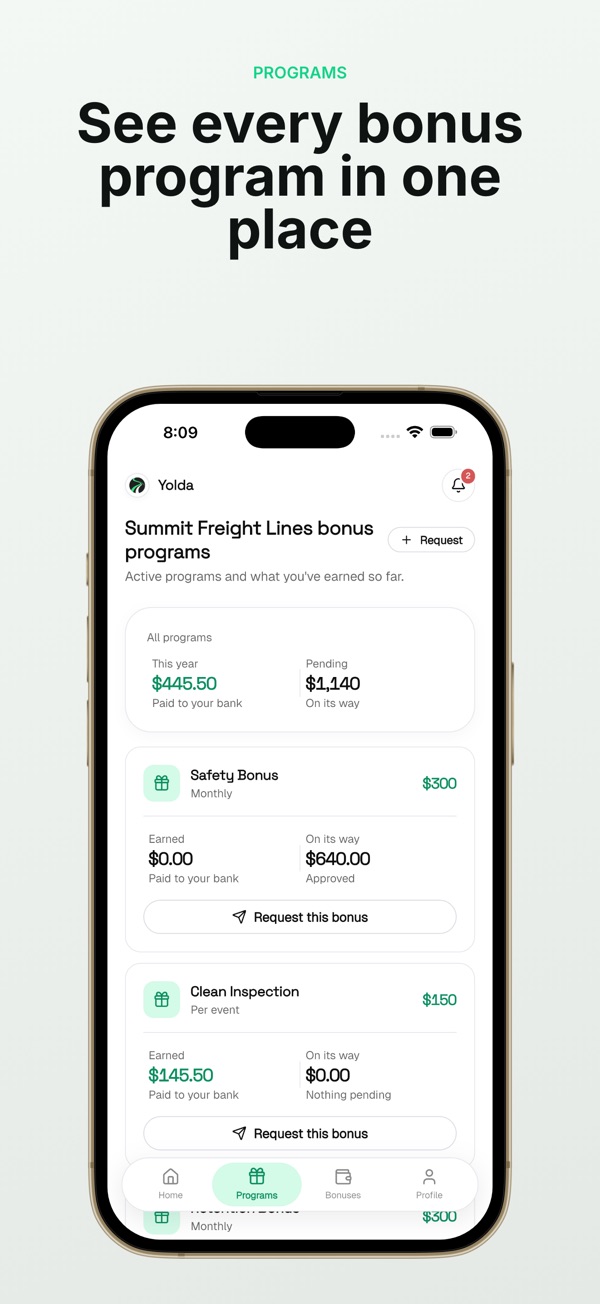
- Monitoring after launch is not optional: Yolda watches CDL, medical card, and insurance expiration dates continuously because a one-time check would miss renewals.
1. How do we test accuracy before anything ships?
We score the model against a set of real, labeled examples pulled from the actual use case, not synthetic test cases someone wrote in an afternoon. This is called an evaluation set, and it is the difference between "the demo worked" and "this works."
For a feature like Yolda's rate confirmation reader, which extracts load details from carrier paperwork, the evaluation set is built from real rate confirmations with varying formats, scan quality, and missing fields. We run the model against that set and score exact-match accuracy on the fields that matter most: pickup and delivery dates, rate, and reference numbers. If accuracy drops below an agreed threshold, the feature does not ship, no matter how good it looked on the three examples someone tried by hand.
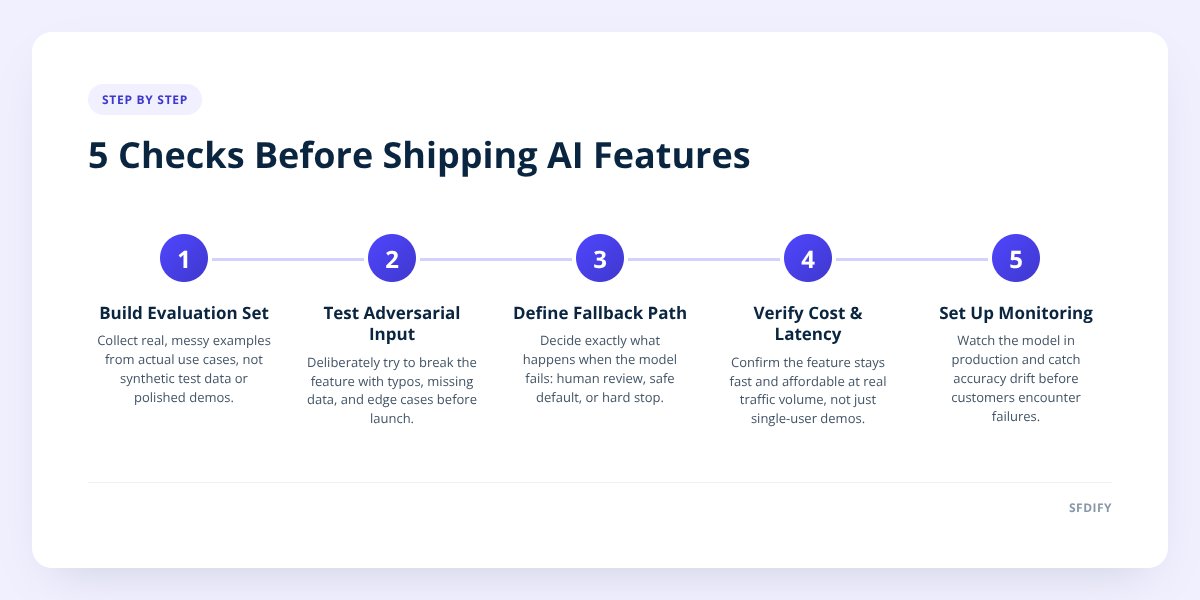
The visual sequence looks like this:
- Step 1 — Build the eval set. Collect real examples, including messy and edge-case ones, not just clean best-case inputs.
- Step 2 — Score baseline accuracy. Run the model and measure it against a defined pass threshold before touching the UI.
- Step 3 — Test adversarial input. Try to break it: bad formatting, missing data, conflicting instructions.
- Step 4 — Define the fallback. Decide exactly what happens when the model is wrong or unsure.
- Step 5 — Check cost and speed at volume. Confirm it holds up at real usage levels, not just in a demo.
- Step 6 — Set up monitoring. Watch it in production and catch drift before customers do.
Skipping step 1 is the most common mistake we see in AI product development: teams build the feature, try it a few times, and call it done. A real evaluation set catches the failure modes that only show up at scale.
2. What counts as "bad input" and how do we test for it?
Bad input is anything a real user might type or upload that the model was not explicitly designed for, and testing for it means deliberately trying to break the feature before a customer does. This includes typos, missing fields, contradictory instructions, and attempts to make the model say something it shouldn't.
For a chatbot or AI agent, this means feeding it off-topic questions, requests to ignore its instructions, and inputs designed to extract information it shouldn't share. We do this before launch on every AI agent we build, whether it is a client-facing support bot or an internal tool. We covered the broader version of this process, including how to structure a pilot before full rollout, in How to Pilot AI Before Full Integration.
For MyCheck, which lets users save checklists from ChatGPT, Claude, Grok, or Gemini, bad input testing means checking what happens when a saved checklist is malformed, incomplete, or in a language the parser wasn't tuned for. MyCheck supports 13 languages, so this check runs across each one, not just English.
3. What happens when the model gets it wrong anyway?
Every shipped AI feature needs a fallback path defined in advance, because no model is right 100% of the time and the plan for "wrong" cannot be improvised after launch. A fallback is the specific, pre-built response the system gives when confidence is low or the output fails a validation check.
Fallback design usually takes one of three shapes:
| Fallback type | When to use it | Example |
|---|---|---|
| Human review | High-stakes or low-confidence output | A flagged rate confirmation goes to a dispatcher for manual check |
| Safe default | Low-stakes, frequent case | A chatbot says "I'm not sure, here's how to reach a person" |
| Hard stop | Compliance or safety risk | The system refuses to answer and logs the attempt |
Yolda uses the human review path for anything involving compliance dates. If the system reads a medical card expiration date with low confidence, it flags the record for a person to confirm rather than silently trusting the extraction. That single design choice matters more for safety than any accuracy score, because a wrong date on a compliance document has real consequences for a trucking company.
If you can't describe exactly what the product does when the model is wrong, it isn't ready to ship.
4. Does it still work at real cost and real speed?
A feature that works in a demo with one user can fail at 50 or 500 concurrent users, and cost per interaction can turn a good idea into an unprofitable one. This check happens before launch, using realistic traffic patterns, not just functional testing.
Two things to measure here:
- Latency at load. How long does the feature take to respond when ten or a hundred people use it at once, not just one tester in a browser tab.
- Cost per interaction at scale. What does each model call cost, multiplied by expected volume, and does that number still make sense against the price of the feature or subscription.
eval_pass_rate: 0.94   # threshold: 0.90
p95_latency_ms: 1800   # threshold: 2500
cost_per_call_usd: 0.004
fallback_rate: 0.06    # % routed to human review
This is also where AI consulting work often pays off before a single line of code is written: deciding what should be automated versus reviewed by a person changes both the cost model and the fallback design from day one.
5. How do we watch it after it ships?
Monitoring is not a dashboard someone checks occasionally — it is an ongoing process that catches when the model's real-world accuracy drifts from what the evaluation set predicted. Models, data, and user behavior all shift over time, and a feature that passed every check at launch can degrade months later without anyone noticing.
Yolda's compliance tracking is a working example of continuous monitoring by design, not an afterthought. It watches CDL, medical card, and insurance expiration dates on an ongoing basis, because a one-time check at onboarding would miss every renewal that comes after. The same logic applies to any AI feature handling data that changes: monitoring has to run as long as the feature is live, not just at launch.
For client work, this means we set a monitoring cadence and a re-evaluation schedule before the feature ships, not after a customer reports something odd.
Checklist: Shipping an AI feature
- Build an evaluation set from real examples, including messy and edge cases.
- Score the model against that set and agree on a minimum pass threshold before launch.
- Test the feature with bad, incomplete, and adversarial input on purpose.
- Define exactly what happens when the model is wrong: human review, safe default, or hard stop.
- Measure latency and cost per interaction at realistic traffic volume, not demo volume.
- Set up ongoing monitoring and a re-evaluation schedule before the feature goes live.
- Confirm someone owns the fallback path and reviews flagged cases on a regular basis.
- Document the pass/fail thresholds so the next release is measured the same way.
How this shapes what we build for clients
We run this same sequence whether we are building an AI agent for a client or a feature for one of our own products. It slows down the first release slightly and prevents the much more expensive problem of an AI feature that embarrasses a customer or makes a costly mistake in production. If your team is deciding what to automate first, that decision usually belongs in an earlier conversation, and it is one we're glad to have.
If you are weighing whether an AI feature is ready to build, evaluate, or ship, SFDIFY offers a free first consultation to walk through it. Start a project at https://www.sfdify.com/contact or reach us at info@sfdify.com.
Checklist: Shipping an AI feature
- Build an evaluation set from real examples, including messy and edge cases.
- Score the model against that set and agree on a minimum pass threshold before launch.
- Test the feature with bad, incomplete, and adversarial input on purpose.
- Define exactly what happens when the model is wrong: human review, safe default, or hard stop.
- Measure latency and cost per interaction at realistic traffic volume, not demo volume.
- Set up ongoing monitoring and a re-evaluation schedule before the feature goes live.
- Confirm someone owns the fallback path and reviews flagged cases on a regular basis.
- Document the pass/fail thresholds so the next release is measured the same way.