 SFDIFY
- Identify one task where a person reads something and retypes it elsewhere.
- Count how many times a week that task repeats — low-frequency tasks rarely justify the build.
- List the three or four questions your customers ask most often.
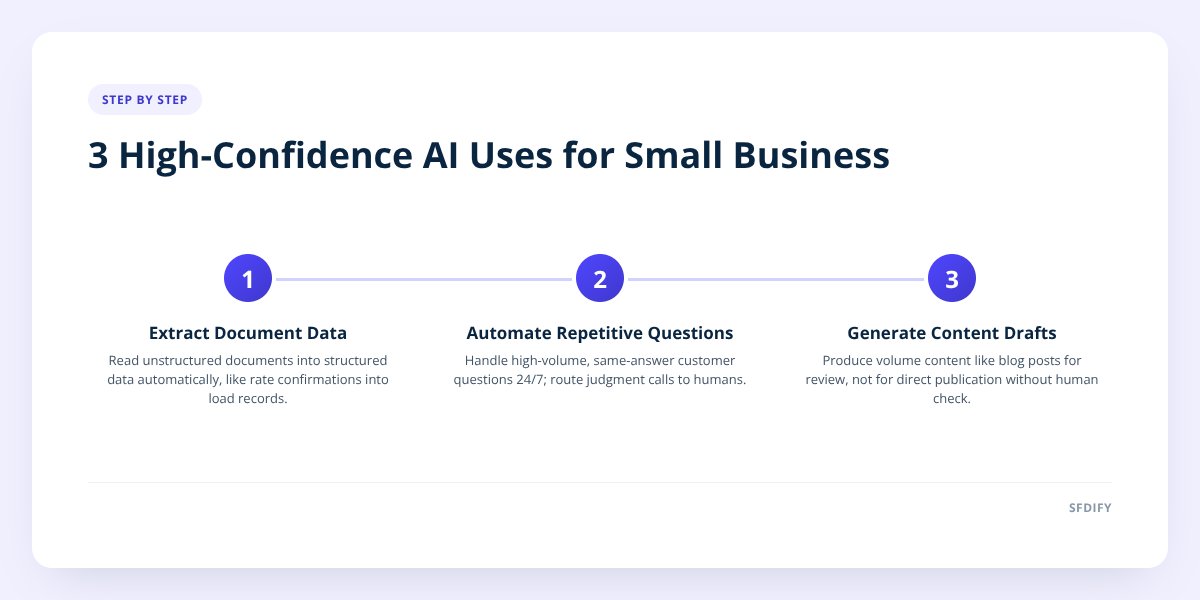
Generative AI earns its keep on small businesses in three places: cutting the time spent on repetitive writing and lookup work, reading unstructured documents into structured data, and handling first-touch customer conversations at any hour. It does not replace judgment on pricing, legal exposure, hiring, or anything where a wrong answer costs real money. We have shipped all three patterns into our own products, and the ones that stuck are the ones with a narrow job and a human checking the output.
- Document extraction is the highest-confidence use case: Yolda reads rate confirmations into structured load data instead of a dispatcher retyping them.
- Chat-based customer support pays off fastest when it is scoped to a narrow set of questions, not asked to handle everything.
- Content generation works for volume, not for anything that needs to be right on the first draft — Segeo still has a human review step before a post goes live.
- The failure mode isn't the AI being wrong occasionally. It's a business trusting an ungated AI output for something with financial or legal consequences.
1. Where does generative AI actually save a small business money?
It saves money on tasks that are repetitive, text-heavy, and currently done by a person typing the same kind of thing over and over. That's the pattern across every product we've built. The value isn't "AI is smart" — it's "a human was doing manual, low-judgment work that a model can do in seconds."
The clearest example is Yolda, our AI-native transportation management system for trucking companies. Before a load can be dispatched, someone has to read the rate confirmation document — pickup and delivery addresses, dates, rate, accessorials — and key it into the system. Yolda reads that document and turns it into a structured load automatically. The dispatcher checks it instead of typing it.
That's the shape to look for in your own business: any task where a person reads something and retypes it somewhere else. Invoices into accounting software. Resumes into a spreadsheet. Order forms into a CRM. If you can describe the task as "read this, then type that," it's a strong generative AI candidate. We go deeper on how to spot these processes in how to tell which business processes AI can automate.
Where it doesn't save money: tasks where the "reading" step requires judgment the model doesn't have context for, like deciding whether a customer complaint warrants a refund. That still needs a person.
2. Does generative AI replace customer support, or just some of it?
It replaces the first layer, not the whole job. The pattern we've seen work is narrow scope: answer the questions that repeat constantly, and hand off anything that doesn't fit cleanly.
MuChat, our Instagram DM automation product, is built on that principle. It runs on the official Instagram API and handles comment-to-DM replies, story reply automation, and email capture through a flow builder. A business selling a product on Instagram gets a huge volume of the same three or four questions — price, shipping, sizing, availability. MuChat answers those instantly, at 2 a.m. or during a product launch spike, without a person watching the inbox.
What it doesn't do is replace a human for anything that needs a judgment call — a refund dispute, an angry customer, a custom order with unusual terms. The shared inbox exists specifically so a person can step in when a conversation moves past the automated flow's scope.
if a customer question has the same correct answer every time, automate it. If the right answer depends on the specific person or situation, route it to a human.
The mistake we see businesses make is treating a chatbot as a full replacement for support rather than a filter that removes the repetitive 70% and leaves the judgment-heavy 30% for a person. We wrote about the evaluation work this requires in shipping AI features: the 5 checks we run first.
3. Is AI-generated content actually good enough to publish?
Not without a human review step, and that's by design, not a limitation to apologize for. Segeo, our content product, publishes a blog post to a business's website every day, starting at $89 a month, plus Instagram content. The generation is automated. The review step is not skipped — it's part of the product.
The benefit here isn't "AI writes as well as a person." It's volume and consistency at a price a small business can actually afford. A solo owner running a landscaping company is never going to hand-write a blog post every day. They might approve one that's already 90% done.
Where this breaks down: anything that needs to state a fact, a price, a legal claim, or a specific promise about your business that has to be exactly right. Generic, evergreen, how-to content tolerates AI-assisted drafting well. A page stating your current pricing or your licensing does not — that needs a person writing and checking it directly.
4. Can generative AI actually understand documents like tax forms or contracts?
It can extract structured information from a document reliably, but the extraction still needs a defined check, not blind trust. This is different from the "does AI make things up" question people usually ask — the real issue is that a model reading a document will confidently structure the wrong field if the check isn't built in.
USTAXX, our IRS-authorized e-file platform, operates in all 50 states with a secure client portal and a mobile app in nine languages. Tax documents are exactly the kind of unstructured input generative AI is good at parsing — but tax filings have zero tolerance for a misread number, so any AI-assisted step in that pipeline runs inside a system built around accuracy checks, not a raw model output going straight to a filing.
Compare that to Yolda's document reading: a rate confirmation misread costs a dispatcher a correction. A tax field misread costs a filer real money and potential IRS attention. Same underlying capability — extracting structured data from an unstructured document — completely different tolerance for error. The engineering discipline that has to wrap around the model scales with what's at stake if it's wrong.
| Use case | Error tolerance | What has to wrap the AI |
|---|---|---|
| Rate confirmation reading (Yolda) | Moderate — dispatcher reviews | Human check before dispatch |
| Instagram DM replies (MuChat) | Low-stakes, reversible | Scoped flows, handoff to shared inbox |
| Blog content (Segeo) | Low-stakes, reversible | Human review before publish |
| Tax document handling (USTAXX) | Very low — financial/legal | Accuracy checks built into the pipeline, not a raw model output |
5. What's the actual failure mode businesses should worry about?
It's not the AI hallucinating an obviously wrong answer — most businesses catch that. It's an AI output being plausible, unverified, and trusted for something with real consequences. A confidently wrong shipping date or eligibility answer given straight to a customer, with nobody checking it, is the failure mode that actually costs money and trust.
any AI feature that touches money, legal status, or a customer promise needs a defined check before the output reaches a customer — not just a general sense that "it's usually right."
This is also why MyCheck, our checklist app used for things like USCIS case tracking, is built around checklists and reminders rather than an AI making decisions for the user. Immigration paperwork has sequencing and deadlines that matter. The product's job is to help someone track their own steps reliably — including saving checklists directly from ChatGPT, Claude, Grok, or Gemini — not to have AI decide what their case status is.
The businesses that get burned are usually the ones that skipped the evaluation step entirely — no test set of real inputs, no defined behavior for edge cases, no measure of how often the output is wrong. We cover that evaluation process in more detail in how to evaluate AI automation tools before hiring an agency.
Checklist: deciding if generative AI fits your process
- Identify one task where a person reads something and retypes it elsewhere.
- Count how many times a week that task repeats — low-frequency tasks rarely justify the build.
- List the three or four questions your customers ask most often.
- Decide what happens when the AI hits a question outside its scope — build the handoff, not just the happy path.
- Separate tasks by stakes: reversible and low-cost versus financial, legal, or safety-related.
- Add a human review step anywhere the stakes are high, before the output reaches a customer.
- Test the AI feature against real past examples before turning it on for new ones.
- Set a plan to check accuracy monthly, not just at launch.
How this shapes what we build for clients
Every AI feature we ship starts with the same question: what happens when it's wrong, and who catches it? That's not a caveat we add after building — it's the first design decision, before a line of code. It's why Yolda's document reading has a dispatcher review step, why MuChat hands off to a shared inbox, and why Segeo's content gets reviewed before it publishes.
If you're trying to figure out where generative AI actually fits in your operation — and where it doesn't — SFDIFY offers a free first consultation. You can also read more about our approach on our AI development page, or start a project directly at sfdify.com/contact.
Checklist: deciding if generative AI fits your process
- Identify one task where a person reads something and retypes it elsewhere.
- Count how many times a week that task repeats — low-frequency tasks rarely justify the build.
- List the three or four questions your customers ask most often.
- Decide what happens when the AI hits a question outside its scope — build the handoff, not just the happy path.
- Separate tasks by stakes: reversible and low-cost versus financial, legal, or safety-related.
- Add a human review step anywhere the stakes are high, before the output reaches a customer.
- Test the AI feature against real past examples before turning it on for new ones.
- Set a plan to check accuracy monthly, not just at launch.