SFDIFY

The best AI quiz maker depends on what the quiz is for. For scored training and assessments, FlexiQuiz turns a prompt, URL or file into a scored quiz [1]. For lead-generation quizzes, Outgrow builds a quiz from your industry, audience and tone answers [2], while Typeform pairs AI-assisted building with HubSpot and Salesforce sync [3]. For live sessions, Kahoot generates kahoots from topics, websites and PDFs [4], and for exam practice from your own notes, Quizgecko is built around studying [5].
Most quiz and form tools now have an AI quiz generator. What differs is what happens after the questions appear: grading, lead capture, live play, and plan limits once real people take the quiz.
How we chose
We compared five AI quiz makers that a business or educator is likely to shortlist: FlexiQuiz, Outgrow, Typeform, Kahoot and Quizgecko. For each we read the official homepage, pricing page and AI feature page, and we report only what those pages say. We did not run hands-on tests, and nothing here is a score. Prices are list prices on the day we checked and can change.
AI quiz maker comparison table
| Product | Best for | Starting price | Notable |
|---|---|---|---|
| FlexiQuiz | Graded training, assessments and classroom tests | Free plan up to 20 responses a month; Essentials $17/month billed yearly [6] | AI generates up to 50 questions on paid plans [1] |
| Outgrow | Lead-generation quizzes and calculators | Freelancer $14/month billed annually, $22 monthly [7] | 7-day trial of the Business plan, no card needed [7] |
| Typeform | Lead-gen and product-match quizzes tied to a CRM | Free plan; Basic 28 USD/month billed yearly [8] | 28 quiz question types [3] |
| Kahoot | Live, game-style quizzes for training and classes | 360 Pro Start $9/month, $108 billed annually [9] | Generates kahoots from PDFs, websites and Wikipedia articles [4] |
| Quizgecko | Students and exam prep from your own material | Free plan; Plus $9/month on the $108 yearly plan [10] | Free plan gives 3 new sets a week [5] |
FlexiQuiz — best for graded training and assessments
FlexiQuiz is a quiz and test platform aimed at teachers, businesses that run staff training, and anyone who needs answers marked automatically. Its AI builder sits inside the normal quiz flow, so the generated questions end up in a quiz that is already scored.
Verified features: You can "enter a prompt, a URL or upload a file," pick question types, and choose how many questions the AI should write [1]. The help guide says you can "generate up to 10 questions on the free plan or up to 50 on any paid plan," and that "Questions are generated using ChatGPT" [1]. Outside of AI, the homepage lists auto-grading, timed tests, certificates and custom branding [11]. FlexiQuiz says it "instantly marks and grades your tests" [11].
Pricing: The free plan allows up to 20 responses a month with no credit card needed [6]. Essentials is $17/month ($204 billed yearly) with 500 responses a month; Enterprise is $60/month ($720 billed yearly) with 25,000 responses, APIs and webhooks [6].
Strengths: It is the most assessment-focused tool here: its homepage lists grading, timed tests, certificates and public or private publishing [11]. The free plan is enough to try the AI builder on a real quiz.
Limitations: The AI is narrower than some rivals. It only writes multiple choice, dropdown or checkbox questions, AI questions "do not include images or graphs," and "You can't add AI questions to an existing quiz" [1]. The prompt itself must be in English, French, Spanish or German, even though questions can be generated in almost any language [1]. It is not built for marketing funnels in the way Outgrow and Typeform are.
Best fit: HR and training teams, course sellers and teachers who need a scored test with reports, and who are happy to edit AI drafts by hand.
Outgrow — best for lead-generation quizzes
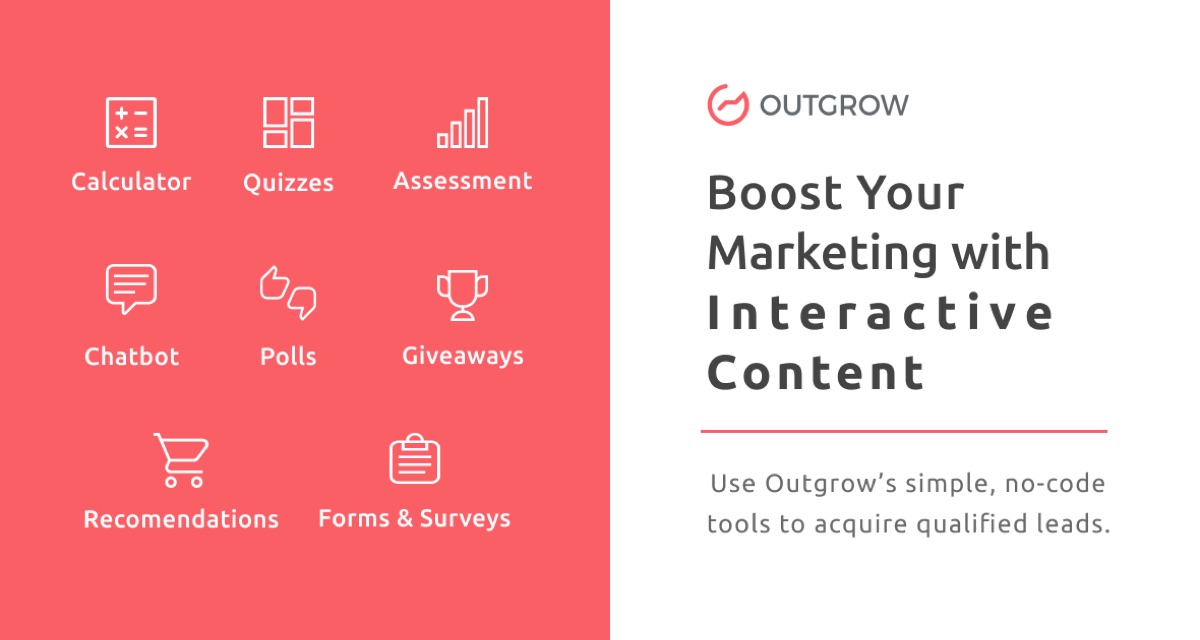
Outgrow is an interactive content builder for marketers, with quizzes next to calculators, polls and chatbots, all aimed at capturing leads.
Verified features: Outgrow's AI asks you to "answer a few questions regarding your industry, target audience, keywords, tone, etc." and then drafts a quiz; you can ask it for more suggestions for "the welcome screen, questions, and results page" [2]. The pricing page counts leads as the "Number of submissions of the lead generation form on Outgrow" [7].
Pricing: Freelancer is $14/month billed annually or $22 monthly, and the top Business plan is $600 or $720 [7]. Freelancer includes 5 content types, 250 leads a month, 5 content pieces and 1 user [7]. The trial gives "access to the business plan for 7 days without needing to add a credit card" [7].
Strengths: Of the five tools, Outgrow is the most marketing-focused. The AI drafts the full quiz around marketing inputs such as audience and tone, not just a topic, and the result screens are part of what it writes [2].
Limitations: Its pages are about marketing and do not describe training features such as timed tests or certificates, which FlexiQuiz offers. The entry plan is also tight: 5 content pieces and 250 leads a month on Freelancer [7]. The pricing page does not say which plans include the AI quiz generator.
Best fit: Marketers and agencies running product-recommendation or outcome quizzes to grow an email list. If those leads will feed a sales process, our AI lead qualification setup guide covers what to do with them next.
Typeform — best for quizzes inside a CRM workflow
Typeform is a form builder that also covers quizzes, surveys and research, which suits teams running a quiz alongside other forms.
Verified features: Typeform says its quiz maker has "28 quiz question types," lets "AI-powered tools help you craft engaging questions," and can "Shuffle questions, set question timers, or enable remote proctoring" [3]. Quiz responses can sync "with HubSpot, Salesforce, and more" [3]. The homepage adds "AI-generated follow-up questions that adapt as people complete your form" [12], and Typeform AI builds forms "At the drop of a prompt" and accepts file uploads alongside the prompt [13].
Pricing: There is a free plan [8]. Basic is 39 USD/month, or 28 USD/month billed yearly, with 100 responses a month and 1 user; Business is 129 or 91 USD with 10,000 responses and 5 users [8].
Strengths: Broad question types, polished branding, and direct CRM sync make it a sensible single tool for teams that want quizzes, lead forms and surveys in one place [3].
Limitations: The entry paid tier is small at 100 responses a month [8], so a quiz that gets real traffic pushes you to Plus or Business quickly. It is a form tool first; its quiz pages focus on marketing and data rather than training features such as learning paths and certificates, which FlexiQuiz lists on its plans [6].
Best fit: Marketing and customer teams already on HubSpot or Salesforce who want a lead-gen or product-match quiz that feels on-brand. If you need the quiz to write back into a custom CRM, that is the kind of work our custom CRM development team handles.
Kahoot — best for live, game-style quizzes

Kahoot is a game-based quiz platform with a business product, Kahoot 360, for training, meetings and events. Its homepage describes a toolkit that "Helps educators create engaging lessons" [14].
Verified features: The Kahoot Assistant can "Instantly transform slide decks, websites, documents, PDFs, and handwritten notes" into lessons, presentations, flashcards and quizzes [4]. The kahoot generator lets you "type in a topic, enter a website URL, or select a specific Wikipedia article" [4].
Pricing: Kahoot 360 Pro Start is $9/month ($108 billed annually) for up to 50 participants and includes "Create presentations with AI" [9]. Pro Plus is $39/month ($468 billed annually) for up to 1,000 participants with the "Full speaker toolkit and AI suite" [9]. For teachers and families, the AI tools are listed under Kahoot+ Gold [4].
Strengths: It is the pick here for live sessions where a group answers at the same time. The AI also works from inputs other tools here do not mention, such as handwritten notes [4].
Limitations: It is built around live sessions and presentations, not lead capture or formal certification exams. Participant caps rise with each tier, so large all-hands or events need the higher plans [9].
Best fit: Trainers, team leads and teachers who want a quick, gamified knowledge check during a session.
Quizgecko — best for exam practice from your own material
Quizgecko has moved toward learners. Its homepage describes turning "notes, slides, and readings into practice quizzes, flashcards, podcasts, and study notes" [5].
Verified features: You can upload PDFs, Word documents, slides, web links, audio, video and more [5]. It turns material into "multiple choice, true/false, fill-in-the-blank, matching and short answer questions," and you can edit each question [5]. The same upload also produces flashcards, study notes and audio reviews [5].
Pricing: Plus costs $16 a month or $108 a year; Ultra costs $29 a month or $276 a year [10]. The free plan gives "3 new sets a week from your own material" [5].
Strengths: It offers more question formats from an upload than FlexiQuiz's AI, and it is an inexpensive way to generate practice quizzes from long source documents.
Limitations: For businesses it is the weakest fit on this list. Its own pages describe it as being for "people preparing for high-stakes exams and demanding courses," with a focus on nursing, medicine, pharmacy, dentistry and law [5]. The pages we read do not describe lead capture, team admin or graded assessments for an audience.
Best fit: Students, tutors and educators who want practice material from course content, not a quiz to send to customers or staff.
How to choose an AI quiz maker
Start with the job the quiz has to do.
- Training and assessment: A quiz maker for business training needs grading, time limits, certificates and per-person reports. FlexiQuiz lists these features [11]. Kahoot fits when the check happens live in a session.
- Lead generation: You need result pages, lead forms and CRM sync. Outgrow and Typeform are the two built for this.
- Studying: You need many question formats from long documents. Quizgecko is designed for that.
Then check three limits: response caps, which range from 20 a month on FlexiQuiz's free tier [6] to 10,000 on Typeform Business [8]; the question types the AI can write; and where results go. If quiz answers need to reach your CRM, LMS or an internal app, plan the integration up front; our AI integration services page explains how we approach that.
Whatever tool you choose, treat AI output as a first draft. FlexiQuiz itself says "AI is not perfect" and recommends checking questions for clarity and accuracy [1].
FAQ
Is there a free AI quiz maker?
Yes. FlexiQuiz has a free plan with up to 20 responses a month, and its AI can write up to 10 questions per quiz on that plan [6] [1]. Quizgecko's free plan gives 3 new sets a week [5], and Typeform also offers a free plan [8].
Which AI quiz generator is best for lead generation quizzes?
Outgrow and Typeform are the two built for it. Outgrow's AI drafts the welcome screen, questions and results page from your industry, audience and tone [2], and Typeform syncs quiz responses with HubSpot and Salesforce [3].
Can an AI test generator create graded exams for employees?
FlexiQuiz is the closest fit among these tools. Its AI creates "a scored quiz" [1], and the platform marks and grades tests automatically and supports timed tests and certificates [11].
Can AI turn a PDF into a quiz?
Yes, in several of these tools. FlexiQuiz accepts an uploaded file [1], Kahoot can generate kahoots from PDFs [4], Typeform AI accepts file uploads with a prompt [13], and Quizgecko accepts PDFs, slides and documents [5].
Our recommendation
For most businesses, pick by use case. Choose FlexiQuiz for scored training and assessments, and Outgrow for lead-generation quizzes, where it is the most specialized option. Choose Typeform if a quiz is one of many forms feeding your CRM, Kahoot for live sessions, and Quizgecko for study and exam practice. Every tool here has a free plan or trial (Kahoot lists a free 360 Express tier [9]), so build the same short quiz in your top two before you commit.
Sources
- Generate quiz questions with AI - FlexiQuiz — checked 2026-11-08
- Quiz Maker | Try the Best Online Quiz Maker Tool for Free — checked 2026-11-08
- Quiz Maker: Make a Free Online Quiz | Typeform — checked 2026-11-08
- Kahoot | AI tools for teachers, students, and professionals — checked 2026-11-08
- AI Quiz Maker for Studying & Practice Tests | Quizgecko — checked 2026-11-08
- Plans - FlexiQuiz — checked 2026-11-08
- Pricing & Plans | Outgrow — checked 2026-11-08
- Plans & Pricing | Typeform — checked 2026-11-08
- Business pricing - Kahoot 360 — checked 2026-11-08
- Plans & Pricing | Quizgecko — checked 2026-11-08
- Free Test Generator - easily create an online quiz | FlexiQuiz — checked 2026-11-08
- Form Builder with AI Automation | Typeform — checked 2026-11-08
- AI Form Builder & Form Generator | Typeform — checked 2026-11-08
- Kahoot | Learning games | Make learning awesome! — checked 2026-11-08